










Find on Shopify App Store as Essential Checkout Customizer
Customize your Shopify checkout with rules
Essential Checkout Customizer is a free Shopify app that hides, renames and reorders payment and delivery methods, and blocks invalid orders. It runs on native Shopify Functions, so it works on every Shopify plan with no code.
- every feature
- Free
- average rating
- 5.0★
- ready templates
- 20+
- Shopify plans
- All








Checkout rules: payments, delivery, validation
-
Payment customizations
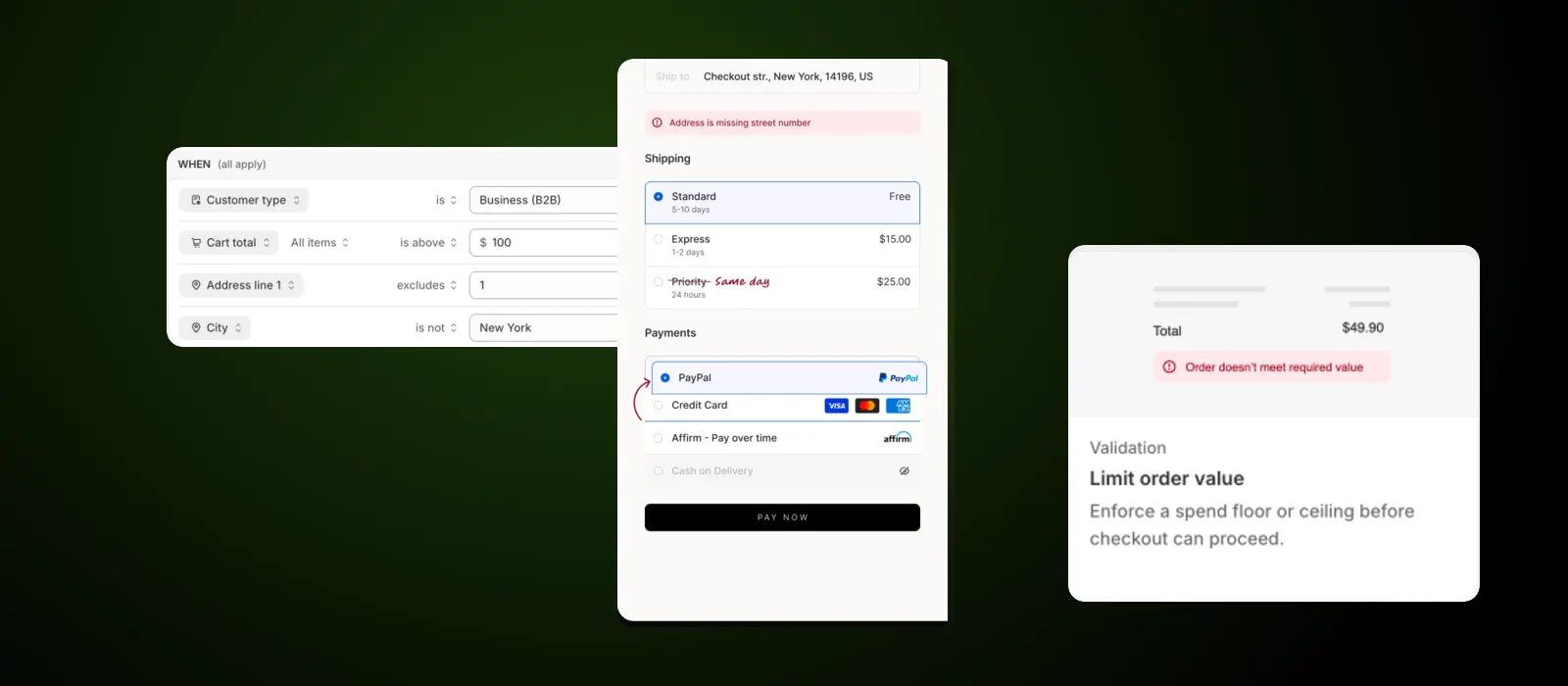
Hide, rename and reorder the payment methods at checkout. Switch off cash on delivery above a cart value, or move the method you want used to the top of the list.
-
Delivery customizations
Hide, rename and sort shipping options. Suppress a delivery rate once the cart crosses a threshold you set, or rename Priority to Same day so customers understand it.
-
Address and form validation
Check street, zip, city and the rest of the checkout form before an order goes through. A missing street number is caught at checkout instead of at the warehouse.
-
Order validation
Set a floor or a ceiling on order value and quantity, or block an order by what is in the cart and who is buying: order count, tags, customer type, company.
Checkout rules on every Shopify plan
Checkout customization used to mean Shopify Plus and a developer. Essential Checkout Customizer is built on native Shopify Functions, so the same rules run on Basic, Grow, Advanced and Plus.
What Essential Checkout Customizer does
-
Conditions: cart, customer, address, market
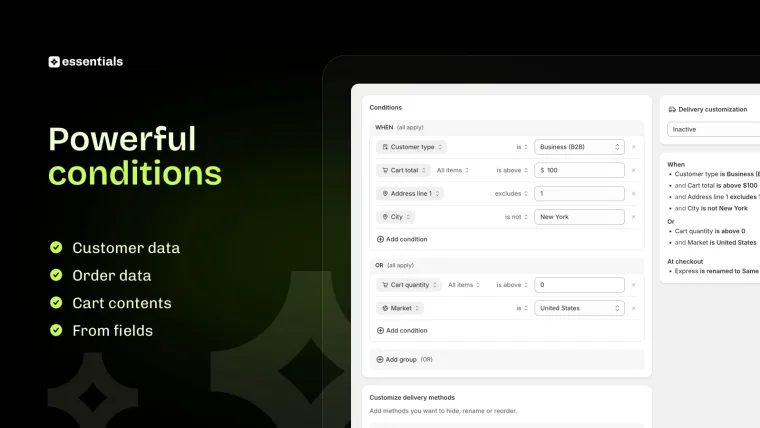
Build a rule from what you know about the order. Combine conditions with AND, add a second group with OR, and nest as many as the case needs.
Cart total, cart quantity, customer type, address, market and more.
-
Templates: 20+ rules ready to use
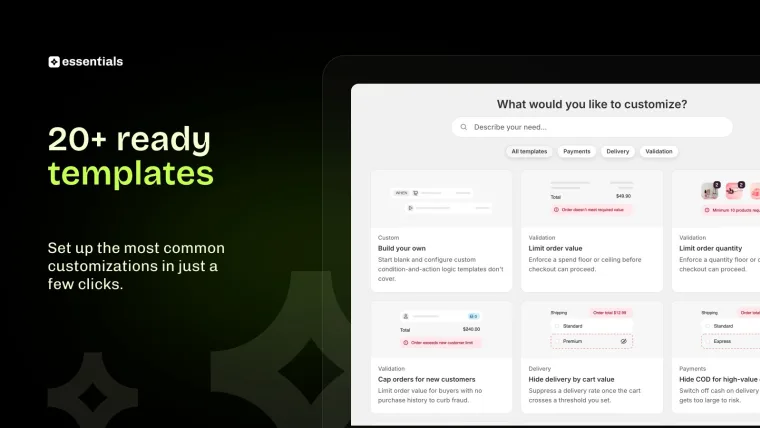
Start from a template for the rules merchants set most often, or start blank and build your own. Limit order value, cap orders for new customers, hide delivery by cart value, hide cash on delivery on high-value orders.
Set up the most common customizations in a few clicks.
-
Functions: native speed, no theme code
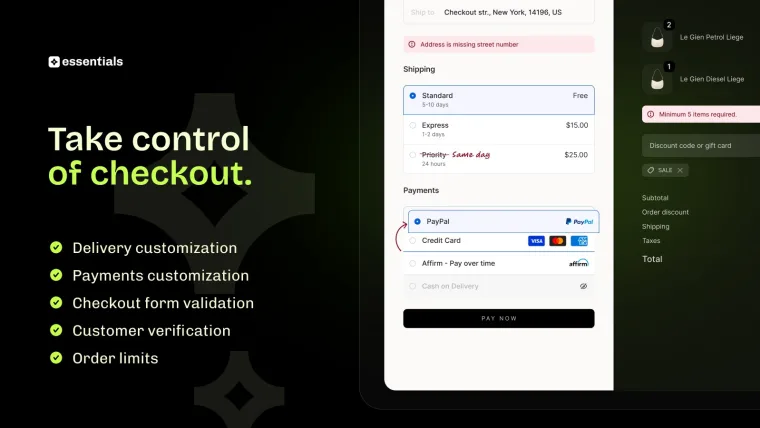
Rules run inside Shopify at checkout, not in a script bolted on top. Nothing is injected into your theme, nothing slows the page down, and nothing breaks when you change theme.
Payment, delivery and validation all run as native Shopify Functions.
-
Support: setup help and custom rules
Tell us the rule you need and we will set it up with you. If your case needs a condition the app does not have yet, ask: that is how most of them got added.
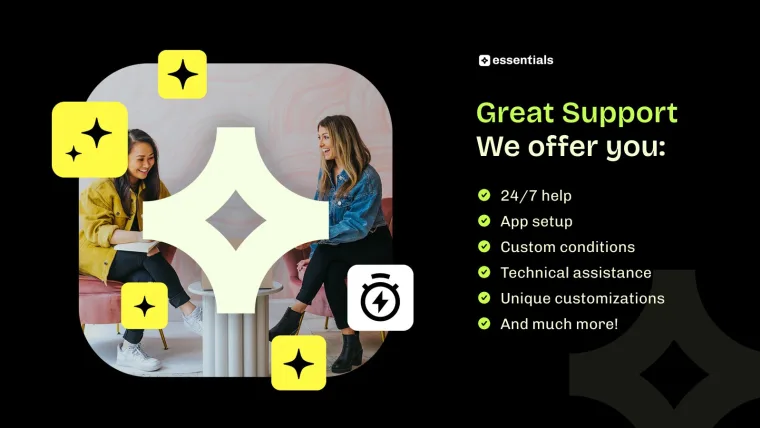
24/7 help, app setup and custom conditions. Get support
What merchants say about Essential Checkout Customizer
5.0 rating on the Shopify App Store
-
Seamless. Native. And has all needed features
incrediDeals -
Essential as a company.. best in the game! This app works perfectly like all there other apps!
Hidden Luxury Project
Questions about Shopify checkout customization
Ask us anything the page does not answer. Support replies 24/7.
- Yes. Payment customizations, delivery customizations and checkout validation are Shopify Functions, and Functions run on every Shopify plan. Essential Checkout Customizer gives you a rule builder for all three, so a Basic or Grow store sets the same rules a Plus store does. Checkout branding and custom checkout code are still Plus-only, but rules are not.
- Create a payment customization, choose the condition that should trigger it, and pick the method to hide. A common one is switching off cash on delivery once the cart total crosses a limit you set, so a high-value order cannot be placed without paying up front. You can also rename a method or move it up the list instead of hiding it.
- Create a delivery customization. The same conditions are available: cart total, cart quantity, address, market, customer type and more. Suppress a rate once the cart passes a threshold, sort the options so the one you want is first, or rename Priority to Same day so customers know what they are buying.
- Yes. Order validation blocks checkout when the order is outside the range you set, by value or by quantity. There are ready templates for both: Limit order value enforces a spend floor or ceiling, and Limit order quantity does the same for item count. The customer sees the reason at checkout rather than a silent failure.
- Yes. Address and form validation checks street, zip, city and the other checkout fields before the order is placed. A missing street number is the usual case: caught at checkout it costs the customer a few seconds, and caught at the warehouse it costs you a redelivery.
- Yes. Conditions include buying history, so you can write a rule against order count, customer tags, customer type and company. The Cap orders for new customers template limits order value for buyers with no purchase history, which is a common way to curb card fraud without turning away real first-time customers.
- Functions are Shopify's own extension points inside checkout. A rule built on them runs in Shopify's infrastructure rather than as a script loaded into your theme, so it does not slow the page, does not need theme edits, and does not break when you switch theme. It is also why the app works on every plan.
- No. Rules are built from dropdowns: pick a condition, pick a value, pick what happens. There are more than 20 templates for the cases merchants set most often, so the common rules are a few clicks rather than a build. If your case is unusual, ask support and we will set it up with you.
- Yes. Customer type is a condition, so a rule can apply to business (B2B) buyers and not to consumers, or the other way round. Market is a condition too, so you can show one set of payment or delivery methods in the United States and another everywhere else.
- It is free. Every payment customization, delivery customization and validation rule is included, on every Shopify plan, with no trial to run down and no per-order fee. For more on where checkout fits in the buying journey, read our guide to the Shopify checkout experience.
Take control of your checkout
Set the rules for payment methods, delivery options and the orders you accept. Free on every Shopify plan, and no code to write.