










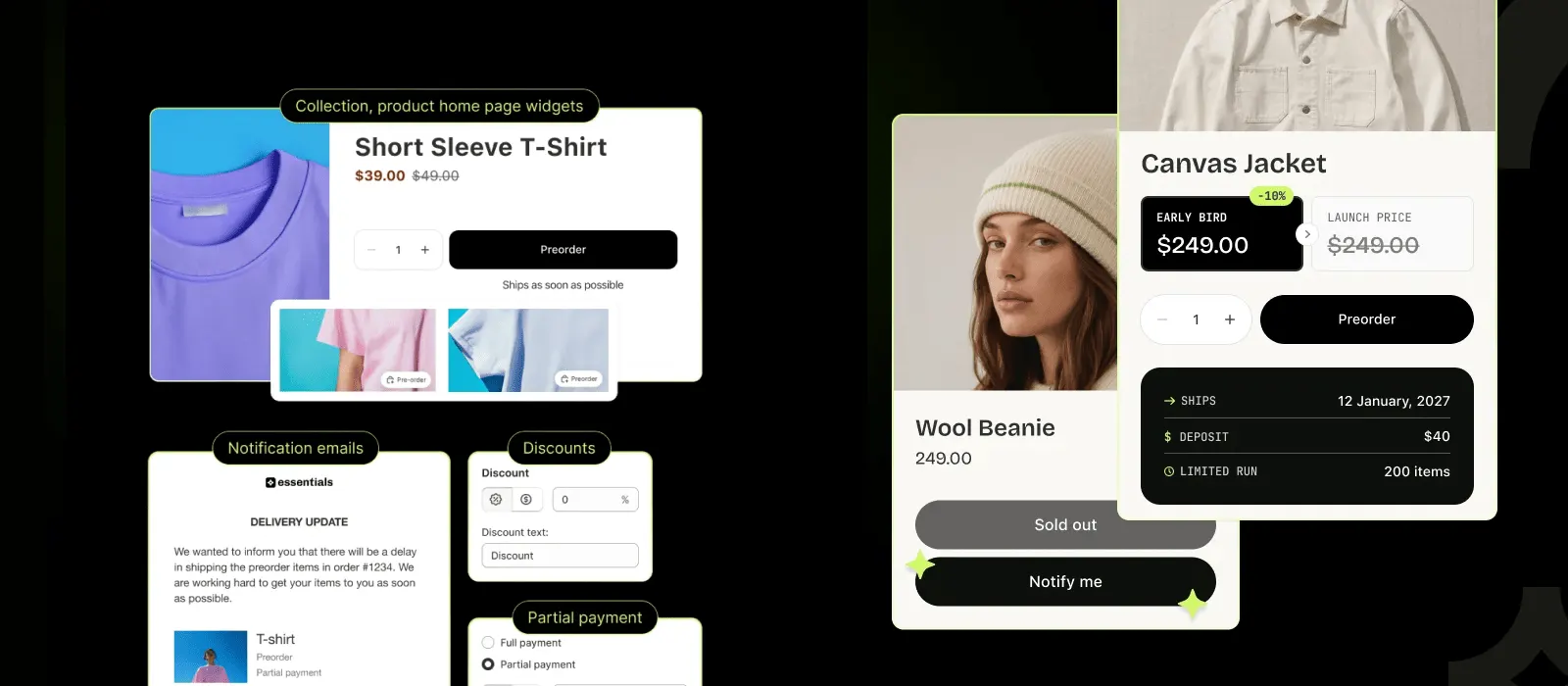







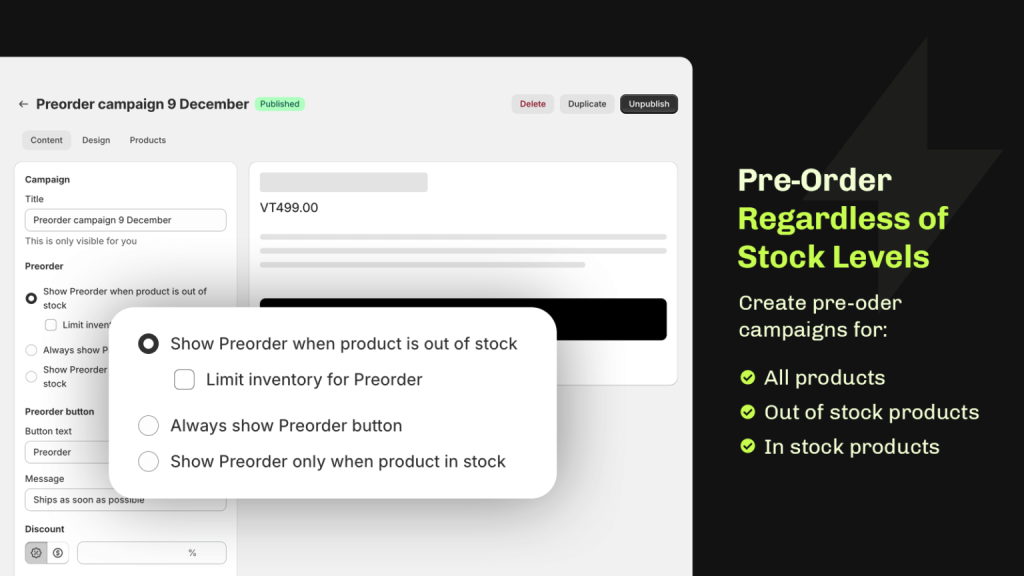
A back in stock app adds a Notify me button to sold-out products, saves each shopper's email on a waitlist and emails them when the product is available again. Essential Preorder & Back in Stock does this on every plan, with unlimited sign-ups and 300 free notifications a month.
Find on Shopify App Store as Essent Preorder Back in Stock
Shopify back in stock app with a notify me button and waitlist
Put a Notify me button on sold-out products, collect emails on a waitlist and send the restock email when stock returns. The free plan covers 300 notifications a month.
- free notifications a month
- 300
- average rating
- 5.0★
- reviews
- 1,389+
- active stores
- 20,300+
-
Give sold-out pages a next step
A shopper who can't buy today can leave an email and hear from you when the product is back.
-
See what to restock first
Each sign-up is a shopper asking for a specific product, so the waitlist shows which sold-out items people want.
-
Notify, or take preorders
A product can show Notify me and Preorder together, and shoppers choose.
How it works
From sold-out product to restock email
-
Notify me button
It replaces the Sold out button or sits below it. Product pages by default, with collection pages, search and Quick buy modals available.
-
Waitlist sign-up
A sign-up pop-up in your own fonts and colors, with optional double opt-in for GDPR.
-
Automatic restock email
The email goes out when inventory reaches the level you set and links to the product page, the cart or checkout.
-
Alerts by market
Map each Shopify Market to the locations that stock it, so a restock only emails subscribers in the market it applies to.
Features
What the Essential Back in Stock feature does
-
Placement
The button on the pages shoppers browse
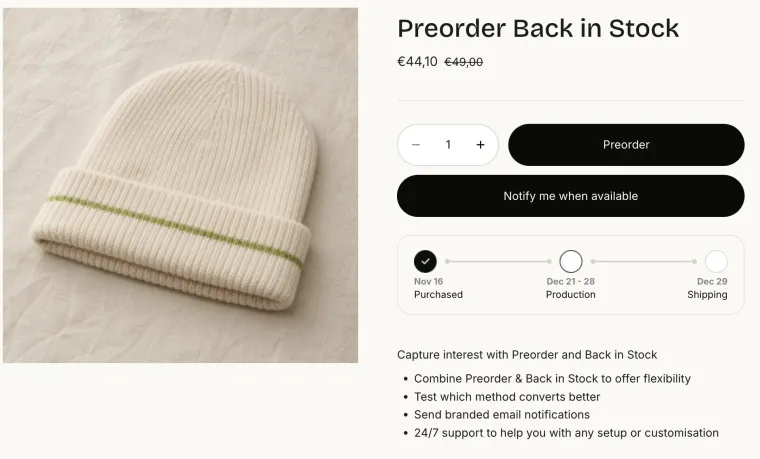
The Notify me button shows on product pages by default. You can also turn it on for collection pages, the homepage, search results, featured products and Quick buy modals. It copies your Add to cart style unless you set your own colors, borders and text.
Quick buy modals need the Lite plan. Other placements are switched on for your theme by support.
-
Waitlist
A sign-up form that matches your store
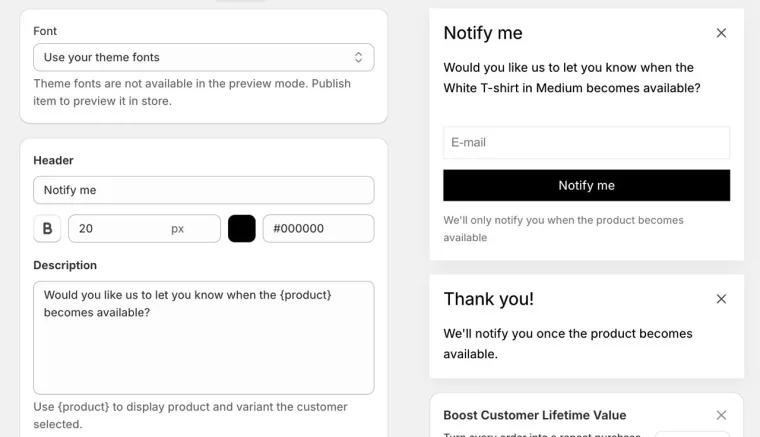
Edit the pop-up text, fonts and colors, add a short privacy note and use {product} to name the item the shopper picked. Turn on double opt-in if you need GDPR confirmation. Sign-ups are unlimited on every plan, and you can export the list.
Sign-ups don't count against your notification limit.
-
Alerts
Restock emails that send themselves
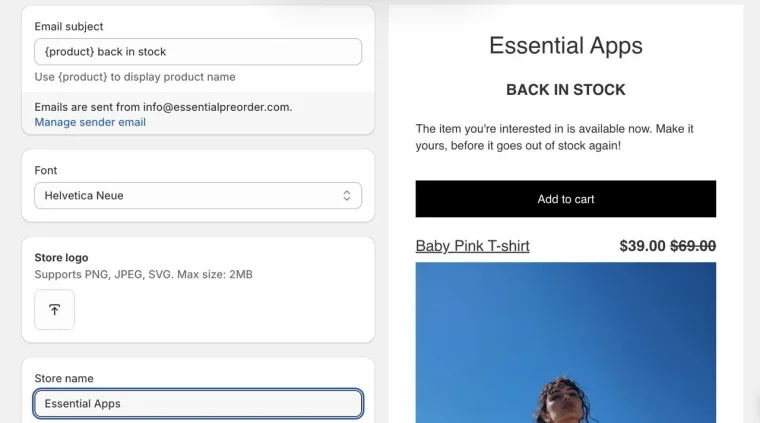
Pick the stock level that triggers the email, write the subject and body, and choose whether the button goes to the product page, the cart or checkout. Send from your own domain with SPF and DKIM set up. Each notification shows its status (delivered, opened, clicked) and any order that follows. The button, form and email can be translated per campaign.
Each subscriber gets one email per sign-up.
-
Integrations
Send through Omnisend, Klaviyo or Shopify Flow
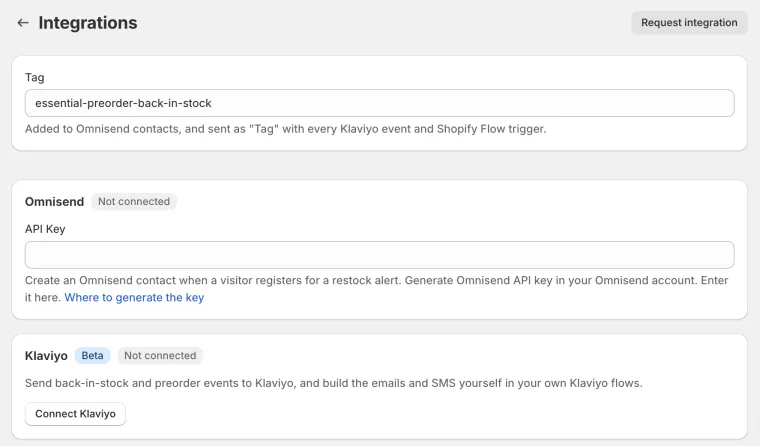
Let Omnisend or Shopify Flow send the restock email from the Lite plan, or Klaviyo from the Starter plan. Connecting Omnisend works on every plan. Shopify Flow has triggers for back in stock sign-up created and product variant restocked.
Alerts sent through Omnisend or Shopify Flow don't count against your limit.
Best for
Who Essential Back in Stock is best for
-
Limited runs and product drops
Collect a waitlist while items are in production, then email everyone when inventory is back.
-
Stores selling in several markets
Alerts by market are on the Starter plan and up, so a Canadian restock only emails Canadian subscribers.
-
Stores that also take preorders
Run Notify me and Preorder in the same app, on the same product, with one set of campaigns.
Reviews
Essential Shopify Back in Stock reviews
Merchants use Essential Preorder & Back in Stock for product drops, delayed stock and restock alerts.
5.0 average on the Shopify App Store
-
I decided to checkout a new Back In Stock App after a large price rise from a competitor and I'm glad that I did. Quick to setup and so easy to use. Had a minor issue with a font not being bold (theme issue) and after dropping a message to support at 10pm this was resolved by the next morning. Really impressed with the speed of response and now also have Preordering which was not available to me with the competitor. I will be checking out their other Apps too.
Weather Spares® -
I have used this app a couple of times and have found it really useful, and the support - to the limited extent I have needed it - has been prompt and helpful and available. This is great. As a small business with non-standard, curated inventory from small batch suppliers, I need to be able to take pre-orders and to be able to notify people when the item they want is back in stock, since I am often not entirely certain of when goods will arrive. The Essential Preorder product is the perfect solution for this. I don't need this app all the time, nor for all products. So, being able to configure it to my circumstances for specific products at specific times is really helpful. For the rare circumstance where I need to apply a pre-order option to all products (say, I am taking a vacation), this helps the store remain in business online with customers being informed that their order will ship in X days (when we're back). So, it's a perfect little helper, and priced fairly for my small scale.
Bucks -
Easy to use. It allows customers to place preorder and be notified when products are back in stock. It looks great on my website as it matches the theme perfectly. Editing campaigns are a breeze. I am not very tech orientated, and I'm able to follow the prompts with ease.
Dara's Soapery LLC -
The best preorder and back-in-stock app there is. Easy to use and excellent service.
Chopova Lowena
-
Stellar support team. I've used this for a couple of Notify Me buttons. On the second campaign I had a issue with the button not displaying even though I had correctly set up the campaign. I reached out via support, and it was well into the night where I am so I wasn't expecting a response until the next day. I was anxious, disappointed, and frustrated as I had just launched a new drop but a number of items were still in production and I was getting lots of inquiries on social media...I needed this button for customers to sign up so they would know as soon as inventory got in. But, they responded within minutes, we emailed a couple more times, and I woke up to a functioning Notify Me campaign! Thank you for your incredible support team, dedicated and professional.
Go Deep Hawaii -
This app is fantastic! It has a simple and super easy setup. It does exactly what you need it to do, making it ideal for new product launches or when you run out of stock but plan to restock soon. The email notification feature is excellent, ensuring that customers are never confused about product availability.
Mega Lash Academy -
The app is fantastic. It is the best option we have found for preorders and back in stock notifications, and it has always been reliable for our store. After updating our theme, we had a compatibility issue on our side, and Samuel from the support team assisted us very quickly to get everything working again. We are very happy with the app and with the assistance received. Highly recommended.
Plastic Books -
We have used the Essential Preorder app for both preorders and back in stock, and both functions are great. In particular, the number of options available within the preorder side, ie. customised email notifications, hold status etc., fit exactly what we need. We would highly recommend the app!
Universal Language
Pricing
Start free, pay as your notifications grow
Every plan includes the Notify me button, the waitlist and the restock email. Plans change the monthly notification limit and which integrations you can use. A notification is an alert email the app sends, and the count resets on the 1st of each month.
USD, billed every 30 days. Paid plans include a 14-day trial.
-
Free
Free
300 notifications a month
Start for freeSending pauses at the limit. Includes 25 preorders a month.
-
Lite
$4.95/mo
1,000 notifications a month
Get LiteOmnisend and Shopify Flow.
-
Starter
$8.95/mo
2,500 notifications a month
Get StarterAdds Klaviyo and alerts by market.
-
Essentials
$24.95/mo
10,000 notifications a month
Get EssentialsPriority support.
-
Professional
$59/mo
Unlimited notifications
Get ProfessionalUnlimited preorders too.
Essential Back in Stock vs other Shopify back in stock apps
Essential Preorder & Back in Stock has a 5.0 rating, the Built for Shopify badge and the largest free notification allowance of the apps below. Kbite, STOQ and Notify Me! have more reviews. Looking for more options? See our list of the best Shopify back in stock apps.
| App | Rating (reviews) | Built for Shopify | Free plan alerts | Paid plans from | SMS | Preorders too |
|---|---|---|---|---|---|---|
| Essential Preorder & Back in Stock | 5.0 (1,389) | Yes | 300 a month | $4.95/mo (1,000) | Through Klaviyo flows | Yes |
| Back In Stock, Notify Me: Kbite | 5.0 (4,443) | Yes | 30 emails a month | $5/mo (500 emails) | From $0.02 each | Not listed |
| Preorder, Back In Stock - STOQ | 5.0 (3,950) | Yes | 30 emails a month | $10/mo (1,000 email and SMS) | $0.025 each | Yes |
| Notify Me! Back in Stock Alert | 4.9 (4,025) | Yes | 10 notifications a month | $9.90/mo (500) | Yes | Yes |
| SMART Preorder & Back in stock | 5.0 (706) | Yes | Not listed | Not listed | Not listed | Yes |
Pick Essential Preorder & Back in Stock if you want a large free allowance and preorders in the same app. Pick Kbite if you only need back in stock and want SMS sent from the app itself.
FAQ
Shopify back in stock app FAQs
Don’t hesitate to contact the Support if you have any additional questions.
- Install Essential Preorder & Back in Stock and create a back in stock campaign. A Notify me button appears on your sold-out products, shoppers leave their email, and the restock email goes out automatically when inventory reaches the level you set. Test it first: sign up with your own email on a sold-out product, then raise its inventory in Shopify.
- Yes. The free plan includes 300 back in stock notifications a month and unlimited waitlist sign-ups, plus 25 preorders a month. Paid plans start at $4.95 a month for 1,000 notifications.
- Create a back in stock campaign and choose the products or collections it covers. The button shows on product pages by default and copies your Add to cart style. Collection pages, search, featured products and Quick buy modals are available too: Quick buy needs the Lite plan, and support switches on placements outside the product page for your theme. There is no placement in the cart, at checkout or in a sticky add-to-cart bar.
- The app doesn't send SMS itself. On the Starter plan and above, connect Klaviyo: the app sends a Back in Stock Product Available event, and you build the email or SMS flow in Klaviyo.
- Yes. When a product is in both a preorder and a back in stock campaign, you choose to show both buttons or only Preorder. One thing to know: putting a product on preorder doesn't email its waitlist, because the alert only goes out on a real restock. To tell your waitlist that preorders are open, export the list and email them yourself.
- Yes. Omnisend and Shopify Flow can send the restock email from the Lite plan, and Klaviyo from the Starter plan. Alerts sent through Omnisend or Shopify Flow don't count against your notification limit. Shopify Flow has triggers for back in stock sign-up created and product variant restocked.
- No. The app keeps the email only to send the restock alert. It doesn't create a Shopify customer or change anyone's marketing consent. To use sign-ups in marketing, export the list, add them to Omnisend as contacts, or start a Shopify Flow workflow. Only add people who agreed to marketing emails.
- On the free plan, sign-ups keep coming in but sending pauses at 300 notifications until the 1st of next month, and you get emails at 50% and 80% of the limit. If you upgrade, the app sends the alerts that were waiting. Paid plans never pause: extra notifications cost $0.01 each, and Professional is unlimited.
Turn sold-out pages into restock emails
Free plan with 300 notifications a month and unlimited sign-ups. Install Essential Preorder & Back in Stock and add your first Notify me button.