

Your customers check out, hit the buy button, and immediately wonder: when will this actually arrive? If you’re not showing an estimated shipping date at checkout, you’re leaving that question unanswered. Worse, you’re probably getting support tickets asking about delivery timelines that you could prevent entirely.
An estimated shipping date tells customers exactly when they can expect their order to land. It’s not a guess. It’s a calculated promise based on your processing time, shipping method, and carrier delivery windows. Set it right, and you reduce support volume, boost confidence in the purchase, and lower cart abandonment. Set it wrong, or skip it entirely, and you’re setting up disappointed customers and refund requests.
What Does Estimated Shipping Date Actually Mean?
An estimated shipping date is the date you’re telling a customer they’ll receive their order. It accounts for three things: how long you need to process and pack the order, how long the carrier needs to deliver it, and any buffer you want to build in.
If you process orders within 1 business day and use 2-day shipping, your estimated delivery might be 3-4 days from purchase. If you’re made-to-order with a 7-day lead time plus 5-day shipping, that’s 12 days out. The key is that this date should be honest and achievable. Miss it repeatedly, and you tank customer trust.
The difference between estimated shipping date and actual delivery date matters too. Shipping date is when the package leaves your warehouse. Delivery date is when it arrives at the customer’s door. Most merchants show the delivery date because that’s what customers actually care about.
Why This Matters for Your Store
Customers make buying decisions partly on delivery speed. If they don’t see an estimated date, they assume the worst or abandon the cart entirely. Studies consistently show that 9 out of 10 online shoppers want to know delivery dates before they buy.
Showing an estimated delivery date also reduces post-purchase anxiety. The customer knows exactly when to expect the box. They’re not refreshing tracking three times a day wondering if it’s lost. That’s fewer support emails, fewer chargebacks, and fewer negative reviews about slow shipping.
On the flip side, if you promise delivery in 3 days and it takes 5, you’ve just created a problem. Customers feel deceived. They leave bad reviews. They file disputes. Setting realistic estimated dates and then meeting them is one of the easiest ways to improve customer satisfaction scores.
How Shopify Handles Estimated Delivery Dates
Shopify doesn’t automatically calculate and display estimated delivery dates on its own. The platform shows shipping rates and carrier information, but not a customer-facing estimated arrival date at checkout unless you add one through an app or custom code.
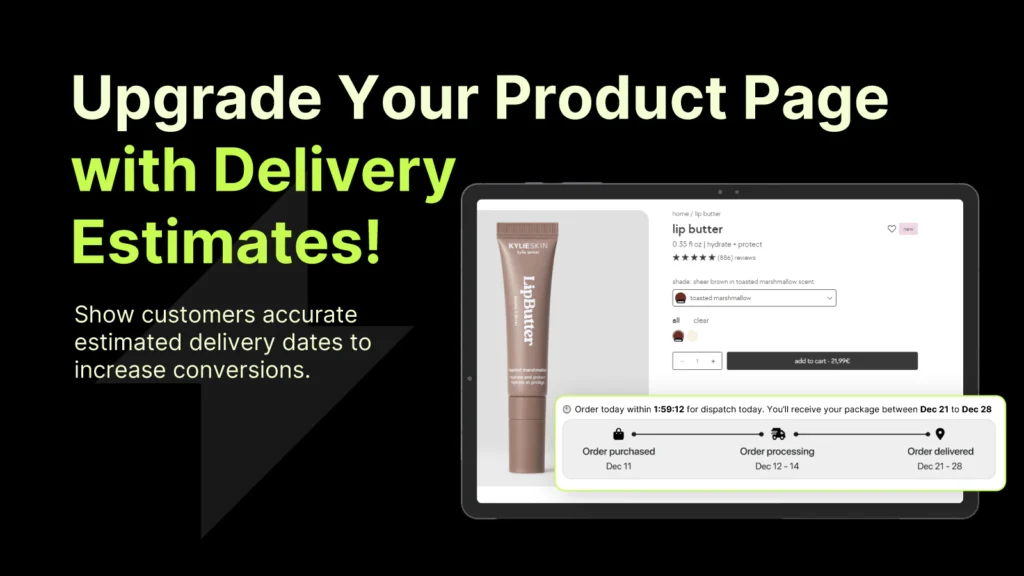
That’s where Essential Estimated Delivery Date comes in. It lets you set estimated delivery dates based on your processing time and shipping method, then displays them at checkout and on the order confirmation. Customers see exactly when they’ll get their order before they complete the purchase.
Without a tool like this, you’re relying on customers to guess or do math themselves. A carrier says “2-5 business days” and the customer has no idea if that starts tomorrow or after your 3-day processing window. An app removes that ambiguity entirely.
Setting Up Estimated Delivery Dates Step by Step
The process of adding an estimated delivery date on Shopify is straightforward. You’ll define your processing time, map it to each shipping method, and let the app calculate the delivery window automatically.
Step 1: Install and Open the App
First, add Essential Estimated Delivery Date to your Shopify store. Once installed, open the app dashboard from your Shopify admin.
Step 2: Set Your Processing Time
Enter how many business days you need to process, pack, and ship an order. If you ship same-day, that’s 0 days. If you need 2 business days, enter 2. This is the foundation for all your delivery estimates.
Step 3: Map Shipping Methods to Delivery Windows
For each shipping method you offer (Standard, Express, Overnight, etc.), specify how many business days the carrier needs. Standard shipping might be 5-7 days. Express might be 2-3 days. The app will add your processing time to the carrier’s window and calculate the final estimated delivery date.
Step 4: Choose What to Display
Decide whether to show a single estimated date or a date range (e.g., “Arrives by March 15” or “March 13-15”). You can also customize the messaging and placement at checkout.
Step 5: Test at Checkout
Add a test product to your cart, go through checkout, and verify the estimated dates are showing correctly for each shipping method. Adjust your processing time or carrier windows if the math is off.
For detailed setup instructions and screenshots, contact the Essential Estimated Delivery Date support team and get a solution right away. The app is built to work out of the box with minimal configuration.
Common Mistakes When Setting Estimated Dates
The biggest mistake is making promises you can’t keep. If you set a 2-day estimated delivery and you’re actually shipping in 4 days, you’ve created a failure before the customer even receives the order.
Another common error is using calendar days instead of business days. If you say “2 days” and someone orders Friday, they expect it Monday. But if you meant 2 business days, that’s Tuesday or Wednesday. Always specify business days and account for weekends and holidays in your estimates.
Many merchants also forget to update their estimates when their processing time changes seasonally. During Black Friday, you might need 7 days instead of 1. If you don’t adjust, you’ll miss your promised dates across hundreds of orders.
Finally, don’t ignore the carrier’s actual transit time. A carrier might say “2-5 business days,” but that 5-day window exists for a reason. Build in the upper end of the range or add a half-day buffer to avoid chronic late deliveries.
Best Practices for Estimated Delivery Dates
Be Conservative
It’s better to promise 5 days and deliver in 4 than to promise 3 and deliver in 5. A pleasant surprise beats disappointment every time. Customers remember arriving early more than arriving on time.
Account for Weekends and Holidays
If you don’t ship weekends, don’t count them in your processing time. If you’re closed for a holiday, build that into your lead time. The app can handle this if configured correctly.
Match Your Shipping Method to Your Estimate
Don’t offer 2-day shipping and then use a carrier that takes 5-7 days. Your estimate will be wrong immediately. Align your shipping options with what your fulfillment process can actually support.
Display Estimates Prominently
Show the estimated delivery date at checkout, not buried in the order confirmation. Customers want to see it before they commit to the purchase.
Update as Needed
If you run out of inventory and need extra processing time, update your estimates for that product. Transparency now prevents angry customers later.
How Estimated Dates Reduce Support Tickets
When a customer knows their order arrives March 15, they don’t email on March 14 asking where it is. They don’t panic on March 13. They wait until March 16, and if it hasn’t arrived, they have a legitimate support issue to escalate.
Studies show that visible estimated delivery information cuts shipping-related support inquiries by 30-40%. That’s less time your team spends answering “Where’s my order?” and more time on actual problems.
The psychological benefit matters too. A customer with an estimated date feels the merchant is organized and professional. A customer guessing feels like they bought from an amateur.
Estimated Dates and International Orders
International shipping adds complexity. Customs can add days or weeks unpredictably. Carriers estimate 10-21 days, but that’s a broad range.
For international orders, lean conservative. If DHL estimates 15 days, show 18-21 days. Include a note that international delivery can be delayed by customs. Setting accurate expectations prevents a lot of frustration.
If you ship internationally, Essential Estimated Delivery Date lets you set different processing times and delivery windows by destination country or region. That keeps your estimates honest across all order types.
The Bottom Line
An estimated shipping date is a simple detail that has an outsized impact on customer satisfaction and support volume. It’s the difference between a professional checkout experience and a guessing game.
If you’re not showing estimated delivery dates on your Shopify store, you’re losing sales to cart abandonment and burning support resources on delivery questions. Essential Estimated Delivery Date handles the calculation and display automatically, so you don’t have to maintain dates manually or rely on custom code.
Set realistic dates based on your actual processing time and carrier windows, display them prominently at checkout, and watch your support tickets drop while customer confidence increases.
Frequently Asked Questions
What’s the difference between estimated shipping date and estimated delivery date?
Shipping date is when your package leaves your warehouse. Delivery date is when it arrives at the customer’s door. Customers care about delivery date, so that’s what you should display at checkout.
How do I set up estimated delivery dates on Shopify?
Shopify doesn’t have a built-in estimated delivery date feature. You’ll need an app like Essential Estimated Delivery Date, which lets you enter your processing time and carrier delivery windows, then automatically calculates and displays estimated arrival dates at checkout.
Should I show a specific date or a date range?
Either works, but date ranges are safer. “Arrives March 13-15” gives you a 3-day buffer for carrier delays. A specific date like “Arrives March 14” is more compelling but riskier if something goes wrong.
What happens if my order doesn’t arrive by the estimated date?
You should have a support plan ready. If you routinely miss estimates, update them to be more realistic. If it’s a rare carrier delay, communicate with the customer immediately and offer a small gesture. Never ignore a missed delivery date.
Can I set different estimated dates for different products?
Yes. Essential Estimated Delivery Date lets you customize by shipping method, and you can also set product-level processing times if some items take longer to fulfill than others.