








How to Bring Customers Back to Your Shopify Store
Most stores spend their budget on new visitors and forget the people who already bought once. Here is how to find lapsed customers, give them a reason to return and win them back with three emails.
To win back customers on Shopify, find the ones who have gone quiet, give them a reason to come back (a points balance, store credit or a birthday reward), and send a short email sequence that reminds them what they have waiting.
Define "lapsed" from your own reorder gap, not a fixed number of days.
Use a loyalty program's data (points balance, VIP tier, birthday) so each email names something real.
Most stores spend their budget on new visitors and forget the people who already bought once. Some of those customers are gone for good. Plenty just drifted off, and the right email at the right time brings them back.
This guide shows how to win back customers who have stopped ordering. It's narrower than our guide to repeat sales strategies, which covers the whole life of a customer. You'll build a lapsed-customer segment, give it a reason to return and send three emails you can copy.
The loyalty setup uses Essential Loyalty, which has a free plan. New to loyalty programs? Read our Shopify loyalty program guide first. Most of the ideas work with any loyalty app.
Who counts as a lapsed customer?
A lapsed customer is someone who has bought from you before and hasn't ordered for longer than your normal reorder gap. The gap depends on what you sell. A monthly coffee buyer is lapsed after a few months. Someone who bought a sofa may be fine for two years.
To find your number, measure the time between the first and second order for your repeat customers. Anyone well past that gap with no new order is lapsed. Start with them, because they already know your brand.
What gives a customer a reason to come back?
A discount code is the obvious answer, but it teaches customers to wait for the next one. A better reason is something they've already earned and could lose or use. A loyalty program gives you four.
A points balance
Customers earn points on orders and actions (here's how Shopify loyalty points work), so a balance in their account is a reason to return. Essential Loyalty can also expire points. On the Essential plan you choose 6, 12, 18 or 24 months, and the oldest points expire first. Expiry is off by default. When you turn it on, existing balances aren't expired straight away. They start counting from the day you switch it on.
One catch: no automatic email warns customers that their points are about to expire. The app's reward expiry warning emails cover reward codes, not points balances. If you want a points warning, send it from your email tool using the points balance property (more on that below).
A reward they can use at checkout
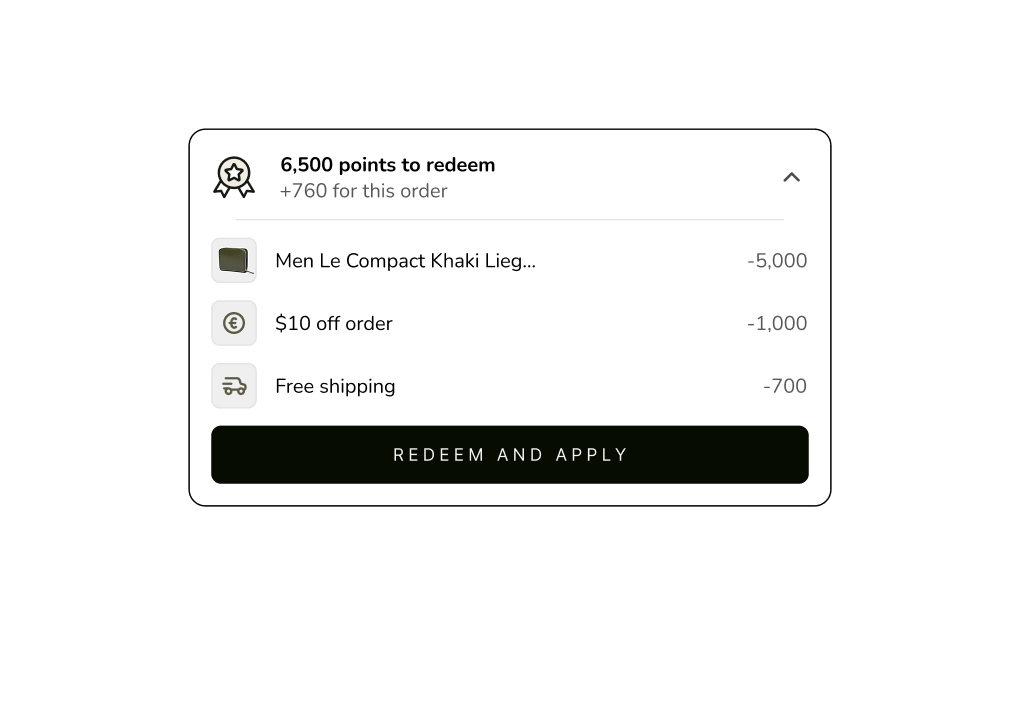
When a customer redeems points for a discount, the app creates a unique single-use Shopify code for them. The default format is LOY- followed by 8 random letters and numbers, and you can set your own prefix, such as VIP-.
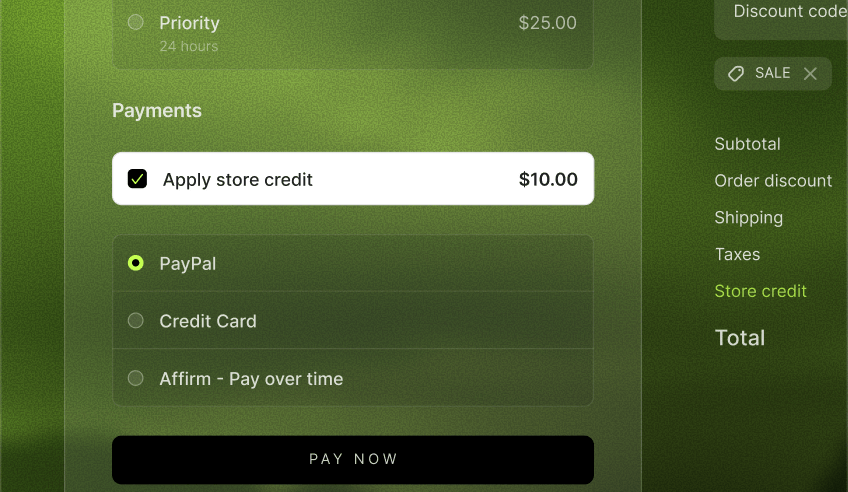
Store credit needs no code. Customers still earn points, then redeem them for a store credit reward, and the credit applies at checkout automatically. Store credit rewards need the Essential plan and new customer accounts. Our guide to store credit vs points has more.
A birthday reward
The app gives birthday points automatically, once a year. Customers add their birthday in the loyalty widget, and it has to be saved at least 30 days before the birthday to count that year. An hourly process awards the points. It gives you a reason to email someone who hasn't ordered in months, and it doesn't read like a sales push.
A VIP tier to keep
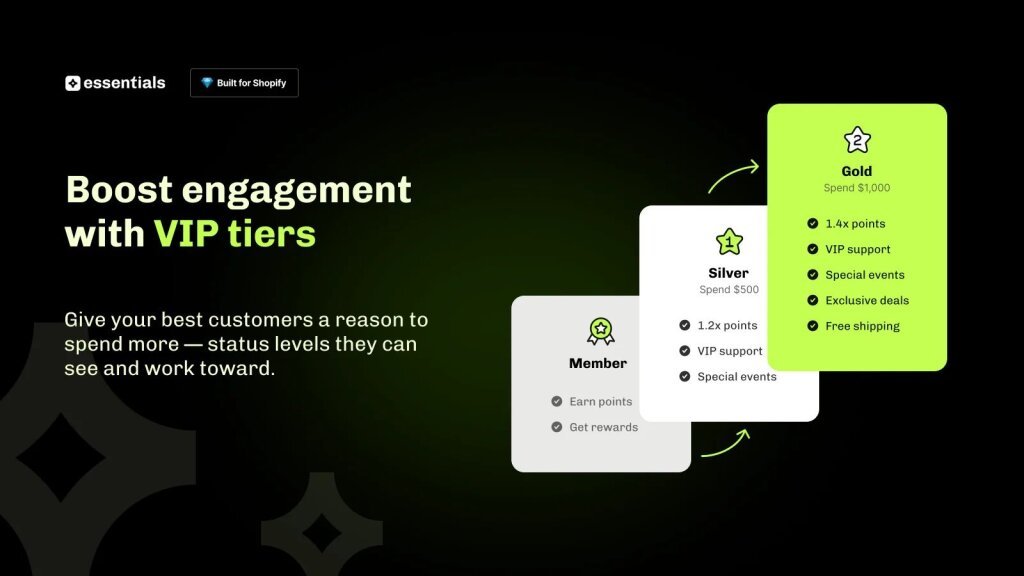
Customers who reached a VIP tier have something to protect. The app can add a Shopify customer tag for each tier. It's off by default: go to Program > Points > Tier settings and turn on Tag customers with their tier. Then use the tag in customer segments, discount rules and Shopify Flow.
Customers don't drop a tier the moment their spending slows. With rolling tiers, the app reviews each customer after the qualifying and grace periods end, then moves them to the highest tier they still qualify for.
How to win back customers with email
Your loyalty data only helps if your email tool can see it. Essential Loyalty connects to Klaviyo and Omnisend. For Klaviyo, go to Settings > Integrations, open Klaviyo under Email Marketing and click Connect with Klaviyo.
Once connected, these properties sync to each customer profile:
Points balance
Lifetime points
VIP tier
Date of birth
Referral URL
The app also pushes these events as they happen, so you can use them as flow triggers: Joined Loyalty Program, Points Earned, Points Deducted, Reward Redeemed, Referral Reward Earned, Tier Achieved, Points Expired and Loyalty Profile Updated.
Build the segment
Create a segment of customers with a points balance above zero who haven't ordered in your lapsed window. Add a smaller segment for VIP tier members in the same window. They're your best customers gone quiet, so they get the personal message.
Send a 3-email sequence
Space the emails to match your reorder cycle. Here's a sequence you can copy. Replace the [placeholders] with your email tool's merge tags.
Email 1: the reminder (subject: "You have [points balance] points waiting")
Hi [first name],
It's been a while. Your points are still in your account: [points balance] points you can use at checkout.
[Button: See my rewards]
Email 2: the nudge (subject: "Your reward is one click away")
Hi [first name],
A quick reminder that your points can turn into [store credit / a discount / free shipping] on your next order. Store credit needs no code. It applies at checkout.
[Button: Shop now]
Email 3: the last call (subject: "Last reminder before your points expire")
Only send this if you have points expiry turned on, and only to customers whose points will expire. Don't invent a deadline.
Hi [first name],
Your oldest points are close to expiring. Use them on any order before [date] to keep them.
[Button: Use my points]
No expiry? Make email 3 a small, specific offer instead, such as free shipping on their next order, and stop the sequence there. Don't keep emailing people who never open.
What if your store sells subscriptions?
A lapsed subscriber is a cancelled one, so the win-back starts before they leave. You can ask why they're canceling and show one matching offer: a discount, a skipped order or a different product. Our guide on how to set up subscriptions on Shopify shows how that works in Essential Subscriptions.
How to measure it
Track three numbers for your lapsed segment: opens, orders and repeat purchase rate. Compare them with a similar group you didn't email, so you know the emails caused the orders.
In Essential Loyalty, loyalty analytics are on the Growth plan. On smaller plans, use your email tool's flow reports and your own order data.
What to avoid
Discounting everyone. Most lapsed customers don't need a code. Reminding them of a balance they already have costs you nothing.
Promising an expiry that doesn't exist. Points expiry is off by default. Don't threaten a deadline you haven't set.
Emailing forever. If someone ignores the whole sequence, move them to a quieter list.
Treating social follows as proof of interest. The app can't verify that a customer followed you on Instagram or Facebook.
FAQs
- It depends on your product. Use the gap between first and second orders for your repeat customers, and treat anyone well past it as lapsed. There's no fixed number of days.
- No, but it helps. Essential Loyalty also connects to Omnisend, and it sends its own emails for points earned, rewards unlocked and tier upgrades. For a win-back sequence aimed at a custom segment, you need an email tool that can filter by points balance.
- Not directly. Customers still earn points, then redeem them for a store credit reward. The app doesn't turn points into cash back automatically. Store credit rewards need the Essential plan and new customer accounts.
- Only if you turn expiry on. It's off by default, and it's available on the Essential plan and higher. You can choose 6, 12, 18 or 24 months.
- There's a free plan, and the paid plans have a 14-day free trial. Check the live plan details on the Shopify App Store before you choose.
Wrap-up
Start with the segment. Find customers with a balance who haven't ordered in your lapsed window, send the three emails and compare their orders with a group you left alone. Essential Loyalty has a free plan, so you can try it without a commitment.
Written by
Content and SEO specialist at Essential Apps. 8+ years in digital marketing, with the last 3 spent deep in the Shopify space, understanding how merchants grow and what gets in the way.