
Your Shopify store traffic is stuck. Organic search could be bringing you customers month after month, but without blog content, you’re invisible to Google. The problem isn’t that blogs don’t work for ecommerce, but the fact that writing and publishing them consistently takes time you don’t have.
Most Shopify merchants skip blogging entirely because the process feels like too much work. You’d have to research keywords, write 1500+ word posts, optimize for SEO, format them in Shopify, and do it all over again next week. That’s why many stores never capture the long-tail search traffic that converts well and costs nothing once it ranks.
The good news: you don’t have to write blog posts from scratch. You can publish SEO-optimized blog content on your Shopify store without hiring a copywriter or spending hours at the keyboard.
Read our quick Shopify blog post guide that has all my general insights from the last 10 years I spent working with SEO.
Why Shopify Blog Posts Matter for Your Store
Blog posts are one of the most underused revenue drivers in Shopify. While your product pages target high-intent searches (people ready to buy), blog posts capture the research phase, where customers are learning, comparing, and deciding if they even need what you sell.
A customer searching “how to choose running shoes” isn’t ready to buy yet. But they will be. If your blog answers that question better than anyone else, they’ll remember your brand when they’re ready to purchase. That’s organic search working for you without paid ads.
Beyond traffic, blog posts also signal authority to Google. Every post you publish is another indexed page, another chance to rank for keywords, and another reason for Google to trust your domain. Stores with active blogs get 2-3x more organic traffic than stores without them.
The Barrier: Why Most Merchants Don’t Blog
You know blogs work. You also know you’re too busy to write them. That’s not laziness, that’s reality.
Creating blog content at scale requires three things to happen consistently: research the right keywords, write high-quality posts, and publish them correctly in Shopify. Most merchants can do one or two of these. Doing all three, every week, across multiple posts? That’s a full-time job.
So stores either hire writers (expensive and time-consuming to manage) or use generic AI that produces thin, unranked content that wastes your time. Neither works at the speed and quality you need to actually move the needle on organic traffic.
How to Write Shopify Blog Posts That Rank
If you’re writing blog posts yourself or working with a writer, follow this structure. It works because it’s built around how Google and actual humans consume content.
Start with Keyword Research, Not Ideas
Most bloggers start by asking “what should we write about?” That’s backward. Start by asking “what are customers searching for that we can actually answer better than competitors?”
Use tools like Ahrefs, Semrush, or Google Keyword Planner to find keywords in your niche. Look for search terms with real volume (at least 100-200 monthly searches) and low-to-medium competition. If you sell fitness gear, you might find “best resistance bands for leg day” or “how to use a resistance band for strength training.” These have decent search volume and less competition than broader terms.
Write down 10-15 of these keywords. Prioritize ones that match your products or have clear intent. If you sell running shoes, “best shoes for marathon training” is gold. “Shoe history” is not.
Write for Humans First, Search Engines Second
Google’s algorithm now rewards content that people actually find useful. This means your post needs to answer the question completely, be easy to scan, and feel like it was written by someone who knows the topic.
Structure every post like this:
- Opening paragraph that addresses the reader’s problem or goal (not a definition)
- Clear answer to their main question in the first 100 words
- 2-3 subheadings that break the topic into actionable sections
- Short paragraphs (2-3 sentences) that are easy to skim
- One internal link to a relevant product page
- Conclusion that reinforces your main point
Write naturally. Avoid keyword stuffing. If your keyword is “best gifts for runners,” use it in your heading and once or twice in the body. Don’t force it into every sentence, since that feels like spam and Google will feel it too.
Length Matters, But Quality Matters More
Posts between 1000-1500 words tend to rank better than shorter content, but only if every sentence adds value. A 1200-word post that’s 200 words of fluff will underperform a tight 800-word post with zero wasted space.
Aim for 1000+ words if the topic allows it. Use examples, comparisons, and specific product recommendations. If you sell running shoes, show side-by-side comparisons of different models. Explain the difference between cushioning types. Give runners a clear reason to trust your recommendation.
Include a Clear Call-to-Action
A blog post that doesn’t point readers toward your store is wasted traffic. At the end of your post, recommend a product that solves the problem you just explained. Make it specific: “The Brooks Ghost 14 is the best choice for neutral runners looking for daily training shoes” beats “check out our shoe selection.”

How to Publish Blog Posts on Shopify
Shopify’s built-in blog editor makes publishing straightforward. Here’s the process.
Access Your Blog
From your Shopify admin, go to Content and select Blog Posts. Shopify creates a default blog for you, but you can add more if you want separate blogs for different topics (one for guides, one for company updates, etc.). Most stores stick with one blog.
Create a New Post
Click Create Post. Add your title (use your target keyword naturally), and write or paste your content in the editor. Shopify’s editor supports basic formatting like bold, italics, links, and images. It’s simple but functional.
Optimize for SEO
Before publishing, fill in the SEO fields:
- Meta title (60 characters max): This shows in search results. Include your keyword.
- Meta description (160 characters max): The snippet that appears below your title in Google. Write it to make people click.
- URL slug: Shopify auto-generates this, but edit it to be short and keyword-focused. “/best-running-shoes-for-beginners” is better than “/blog-post-running-shoes-2024”
Add Internal Links
Link to your product pages from your blog posts. If you write about “how to choose a water bottle,” link to your best-selling bottles. Use descriptive anchor text like “lightweight water bottles for hiking” instead of “click here.” This tells Google and humans what the linked page is about.
Publish and Promote
Set your post to visible and choose a publish date. Shopify lets you schedule posts in advance, which is helpful for planning content. After publishing, share the post on social media and in your email newsletter. A little promotion signals to Google that the content is fresh and worth ranking higher.
The Faster Way: Use AI to Speed Up Blog Production
The process above works. It also takes 4-6 hours per post if you’re writing from scratch. If you want to publish 2-3 posts per week to accelerate your organic growth, that’s not realistic for most solo operators.
AI blog generation tools can help, but most of them produce generic, thin content that doesn’t rank. The better approach is to use AI that understands your niche, your products, and SEO fundamentals, so the content actually ranks and converts.
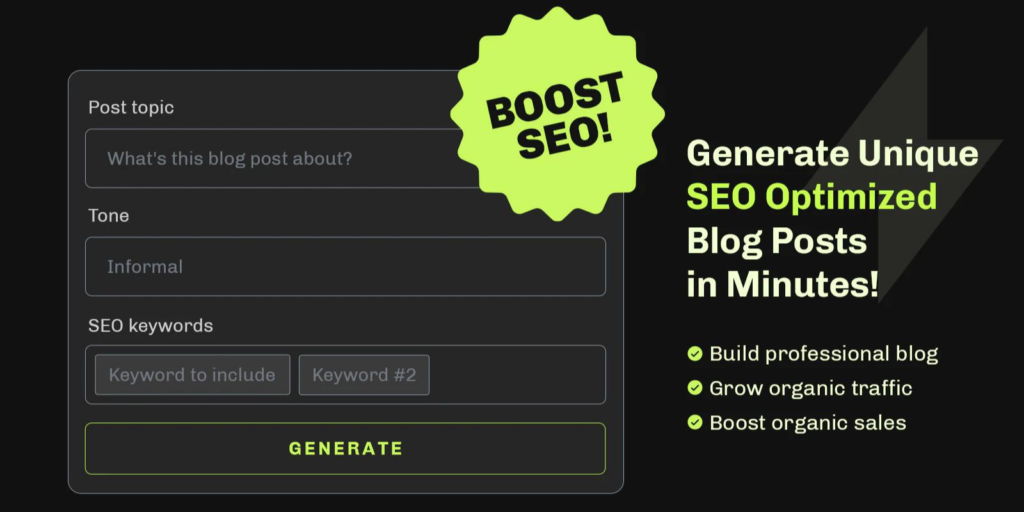
Essential AI SEO: AI Blog Post generates SEO-optimized blog posts specifically for ecommerce stores. You input your keyword and product details, and it creates a full post structured for Google rankings and customer conversions. The posts come out ready to publish in Shopify with proper headings, internal links, and CTAs already built in. You can have a ranked post live in minutes instead of hours, which means you can actually sustain a consistent publishing schedule.
The real advantage: consistency. If you publish one blog post a month, Google barely notices. If you publish two posts per week, Google sees an active, growing resource and your rankings accelerate. SEO AI blog writers make that pace achievable for a team of one.
Publishing Schedule: Consistency Beats Perfection
One of the biggest mistakes Shopify stores make is writing one great post, then nothing for six months. Google rewards consistency. A store that publishes two decent posts per week outranks a store that publishes one perfect post per quarter.
Set a realistic publishing schedule. If you have limited time, start with one post per week. Use your keyword research to build a content calendar for the next 8-12 weeks, so you’re not scrambling every Monday for a topic. If you’re using AI to generate posts, you can easily batch-create 4 weeks of content at once.
Measuring Blog Performance
Publishing content means nothing if you’re not tracking whether it’s working. Use Google Analytics and Google Search Console to monitor your blog’s impact.
In Google Search Console, you can see which keywords your blog posts are ranking for, how many impressions they get, and their average ranking position. Focus on keywords where you’re ranking in positions 10-30. These are easy wins – small SEO improvements will move them to page one.
In Google Analytics, track organic traffic to your blog over time. You should see steady growth if you’re publishing consistently and optimizing based on performance. If posts aren’t driving traffic after 3-4 months, revisit your keyword choices or content quality.
Key Takeaways
Blog posts drive consistent, free traffic to your Shopify store. They work best when you research keywords first, write high-quality content that answers real questions, and publish consistently. Most merchants fail at the consistency part because writing takes time.
If you want to publish blog content at the speed needed to actually move the needle on organic traffic, Essential AI SEO: AI Blog Post handles the writing and publishing setup, so you can focus on the strategy. Use it to stay consistent, scale your blog without hiring, and start capturing the long-tail search traffic that converts.
Frequently Asked Questions
How often should I publish blog posts on Shopify?
Publish at least once per week for best results with Google. Consistency matters more than volume, so two posts weekly will most likely outperform one post monthly. Most ecommerce stores see measurable organic traffic growth after 2-3 months of consistent posting.
Can I use AI to write Shopify blog posts?
Yes, but quality varies widely. Generic AI often produces thin, unranked content. Essential AI SEO: AI Blog Post is built specifically for ecommerce and generates posts optimized for both Google rankings and conversions, with proper structure and internal links already included.
What’s the ideal length for a Shopify blog post?
Between 1000-1500 words works best for ranking, but only if every word adds value. Quality beats word count, so a tight 800-word post with no filler outperforms a bloated 1500-word post with fluff.
How do I link blog posts to my Shopify products?
Use internal links in your blog content to point readers toward relevant product pages. Write descriptive anchor text that includes your keyword, like “best running shoes for marathons” instead of “click here.” Add 1-2 internal links per post, focusing on posts that directly recommend your products.
How long does it take for Shopify blog posts to rank on Google?
New posts typically take 2-4 weeks to start ranking for their target keywords, assuming decent competition. High-authority sites rank faster. After 3-4 months of consistent publishing, you’ll see meaningful organic traffic growth and most posts will be on page one for their target keywords.