











We value your privacy

We use cookies to enhance your browsing experience, serve personalized ads or content, and analyze our traffic. By clicking "Accept All", you consent to our use of cookies.

Skip to content

Frequently Bought Together Shopify App

Essential Upsell & Cross Sell is a frequently bought together app for Shopify. Show products shoppers often buy together on the product page, in the cart and in pop-ups, and let them add the group in one click.

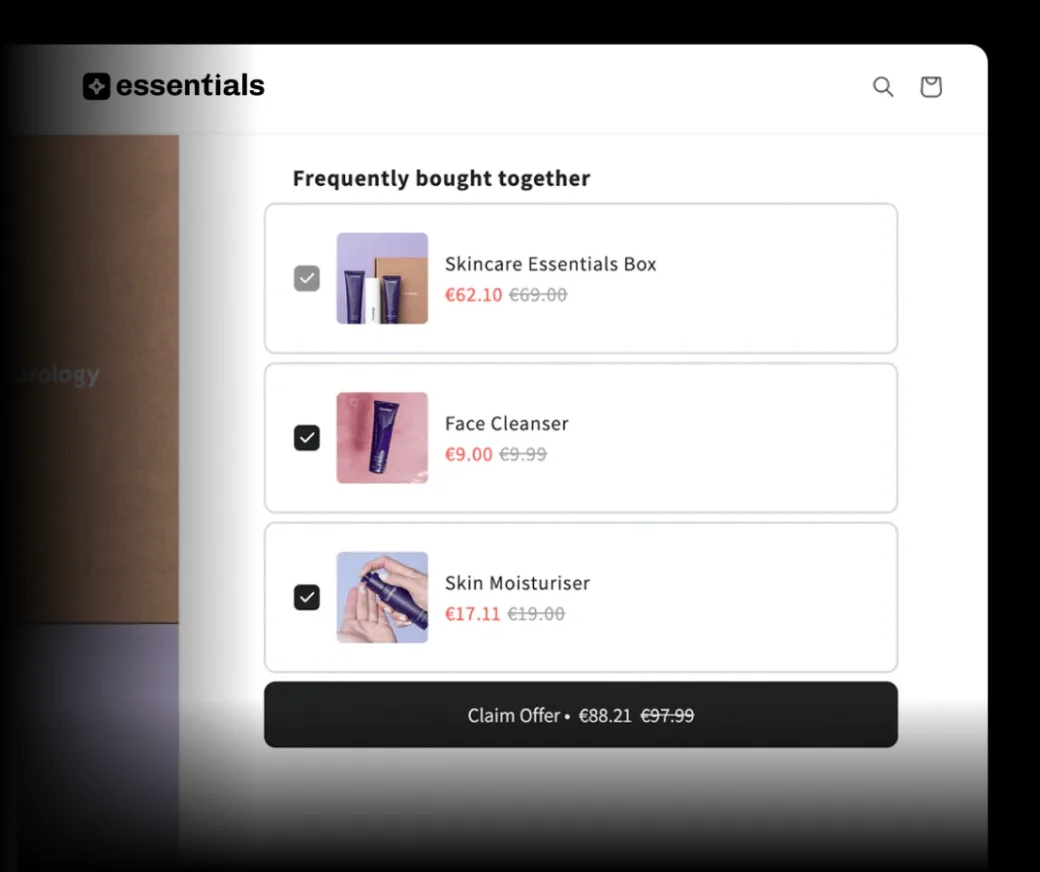
A frequently bought together bundle of three skincare items with a discounted Claim Offer total
  • Increase order value

    Show related products next to the item a shopper is looking at, so adding extras takes one click.

  • You choose the pairs

    Pick the products that go together, or use Auto recommend for Shopify's related or complementary suggestions.

  • Real humans, 24/7

    Stuck on setup? Our support team is available 24/7. More offer types are in the full Shopify upsell app.

More items per order with Essential Upsell & Cross Sell

5.0 average rating from 2,485+ reviews

34,700+

Active stores

What is a frequently bought together app?

A frequently bought together app shows products that shoppers often buy with the item they're viewing, and lets them add the group in one click. Essential Upsell & Cross Sell is a frequently bought together app for Shopify. Offers appear on the product page, in the cart and in pop-ups, with an optional discount, and there's a free plan.
Placements

Where frequently bought together offers appear

  • Product page

    Pre-selected

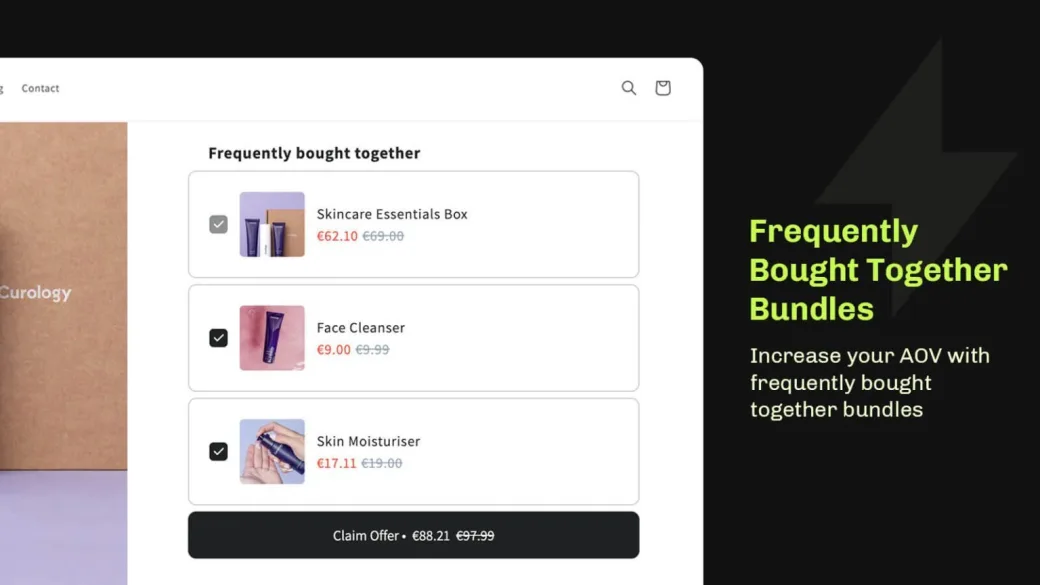
    Recommended items come pre-selected next to the main product, so shoppers add the group to their cart in one click.

  • Cart page or drawer

    In the cart

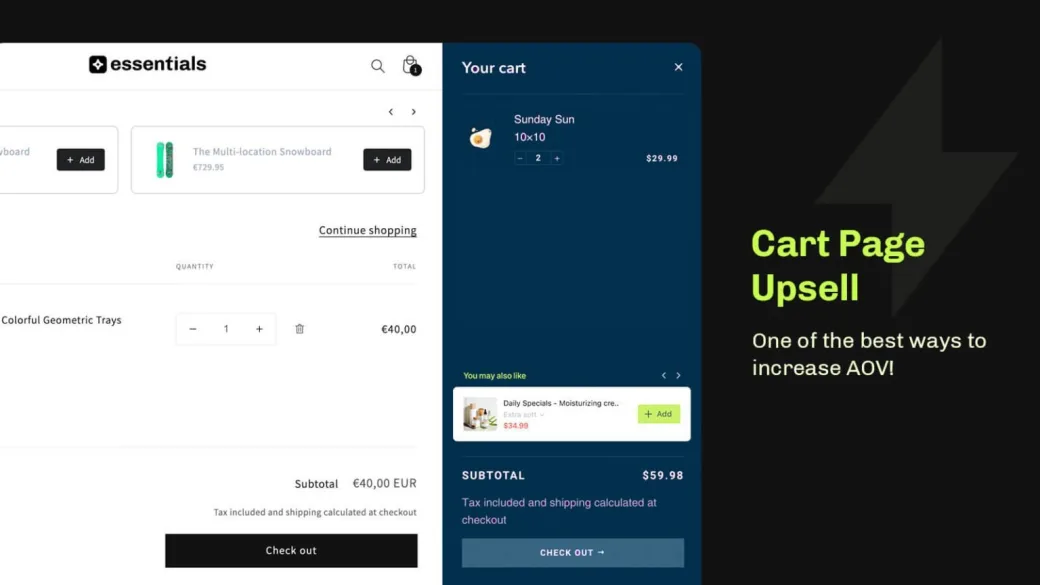
    Suggests products that are commonly bought together with an item already in the cart. Cart offers start on the Essential plan.

  • Pop-up

    On click

    Shows commonly purchased combinations when a shopper clicks Add to Cart on a product page, or Checkout in the cart.

Features

Essential Upsell & Cross Sell: frequently bought together app features

  • A Frequently bought together bundle on a Shopify product page, three items checked with a discounted Claim Offer total

    Pre-selected on product pages

    Recommended items come pre-selected, so shoppers add the main product and extras in one click.

  • A cart page and a cart drawer, each showing a You may also like cross-sell offer with an Add button

    Also in the cart and in pop-ups

    Show frequently bought together offers on the cart page or drawer, and in pop-ups after Add to Cart or Checkout.

    Cart upsell
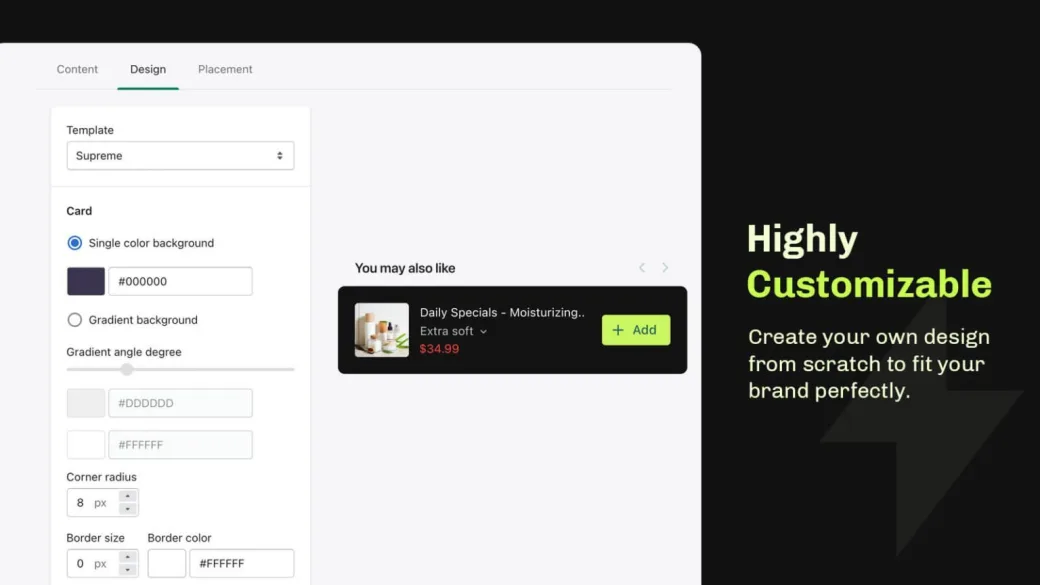
  • Upsell widget design settings beside a You may also like offer card with an Add button

    Discounts on offer products

    Add a discount to the products in the offer.

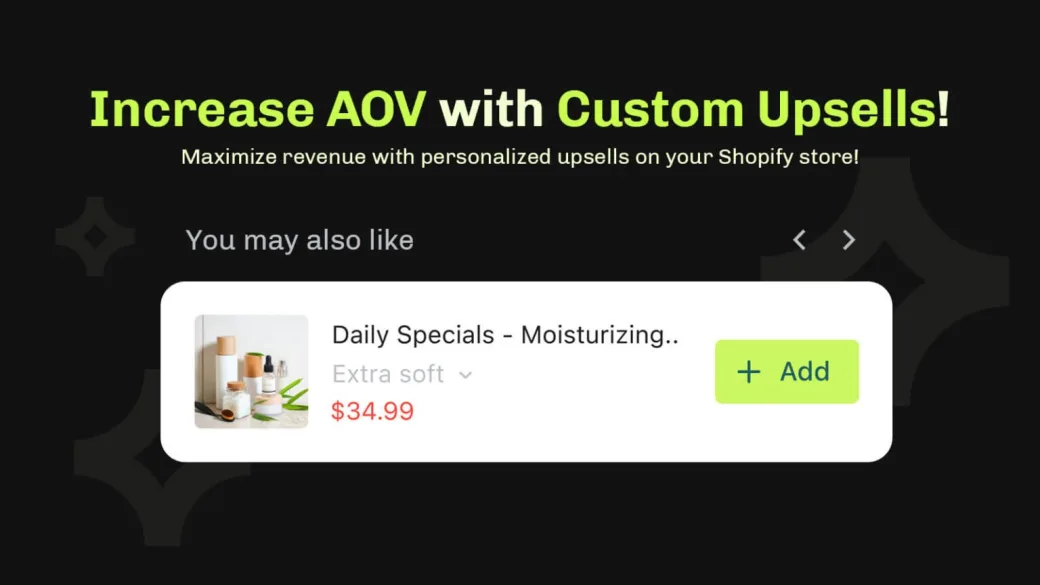
  • A You may also like upsell carousel on a Shopify product page, offering a moisturizer with an Add button

    Customize each product

    When you pick products yourself, set a display name, a badge such as "Most popular" and an image for each product in the offer.

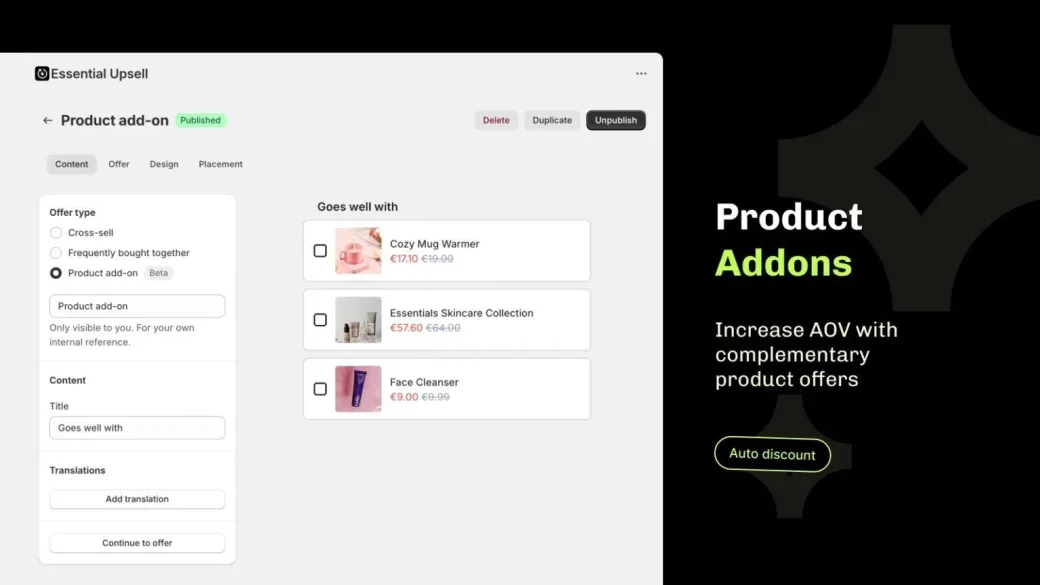
  • Product add-on settings beside three complementary offers: a mug warmer, a skincare collection and a face cleanser

    Product add-ons

    Let shoppers choose extra items with add-on offers on the product page or cart page.

    Product add-ons
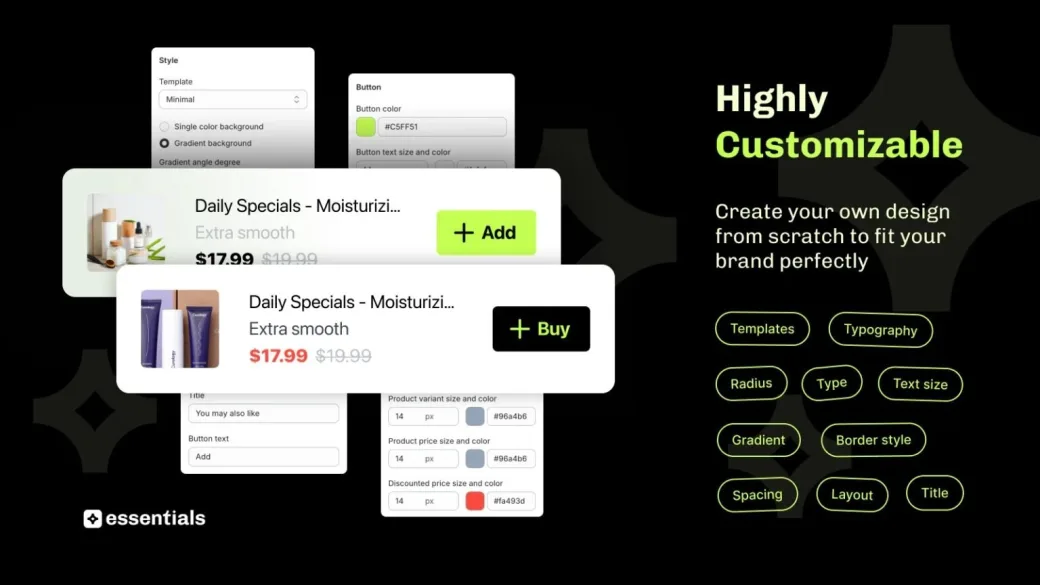
  • The same upsell card in a light and a dark style, above template, colour, typography and spacing settings

    Hand-picked or Auto recommend

    Choose the products yourself, or use Auto recommend to show Shopify's related or complementary suggestions.

Setup

How do I show frequently bought together products on Shopify?

  • 1. Turn on the app embed

    Go to Online Store > Themes > Customize > App embeds, enable Essential Upsell & Cross Sell and click Save.

  • 2. Create the offer

    Open the Essential Upsell app, click Create offer and choose the Frequently Bought Together offer type.

  • 3. Choose the products

    Pick the trigger products, then add the products to offer, or use Auto recommend.

  • 4. Set a placement and a discount

    Choose where the offer shows: product page, cart page or pop-up. Add a discount if you want one.

  • 5. Customize and publish

    Adjust the design and layout, then click Publish.

  • 6. Test it

    On a trigger product, add the group to your cart and check that the items are added together and any discount applies.

Reviews

Essential Upsell & Cross Sell reviews from Shopify merchants

Installed by 34,700+ Shopify stores.

5.0 average on the Shopify App Store

Read all reviews

  • An easy to use app that has good support. My conversion rate using the pop up upsell (Frequently bought together) is over 10%.
    Truthkins Christian Toys
  • We Just started using this app and it looks great so far! Tried so many other apps but all missing some features or hard to implement. This app is so easy to use and has all we need. Will update once we see more sale.
    eSkinStore
  • I am a novice trying to make our website better and this app was extremely easy to use. I think it will add much value to our website. Thank you!
    Attentive Medical Supply
  • Love all the Essential apps, they are so committed to make premium apps. The upsell works very nice with Shopify default 'Related products' & 'Complementary products'.
    Official Coody Europe
  • Surprised (pleasantly!) that after watching a short video then 5 minutes working in the app, I now have my first frequently purchased together offer :)
    My Training Shop
  • Works great. Enough very useful functionalities with the free plan. I think the added revenue deal is also a fair one.
    Anne Neut Boetiek
  • The Essential Upsell app is great - it allows us to easily add all types of upsells to our products, and has all the settings needed to customise them how you like. When called upon, the technical support is excellent too.
    Buy Brand Tools
  • A great app so far! Customer service has been amazing in helping set up the app to match our store. Love that you customize everything and add the option to have a product add on with other suggestions for similar items! The best part is you get all of this at an affordable price! Win-Win!
    A Cottage in the City

Pricing

Simple and affordable pricing

Plans are based on the revenue the app adds to your store each month. Start free, and see how each plan works on the Essential Upsell & Cross Sell pricing page.

USD, billed monthly. 14-day free trial when you choose your first paid plan, once per store. 30-day money-back guarantee.

  • Free


    Free

    Up to $100 added monthly revenue

    Start for free

    No risk, no upfront cost.

  • Starter


    $9.99/mo

    Up to $500 added monthly revenue

    Free 14-day trial

    50x ROI potential

  • Essential


    $19.99/mo

    Up to $1,000 added monthly revenue

    Free 14-day trial
    • Unlocks Cart offers

    50x ROI potential

  • Growth


    $39.99/mo

    Up to $2,500 added monthly revenue

    Free 14-day trial

    63x ROI potential

  • Scale


    $59.99/mo

    Up to $5,000 added monthly revenue

    Free 14-day trial

    83x ROI potential

  • Professional


    $99.99/mo

    Up to $10,000 added monthly revenue

    Free 14-day trial

    100x ROI potential

  • Unlimited


    $149.99/mo

    Above $10,000 added monthly revenue

    Free 14-day trial

    Unlimited ROI potential

  • Enterprise


    Custom

    Tailored for your needs. Pricing is set on a call.

    Book a call

Shopify Search & Discovery vs a frequently bought together app

Shopify's free Search & Discovery app can show related and complementary products on product pages. A frequently bought together app such as Essential Upsell & Cross Sell adds the group in one click and adds more places to show it. See the full Shopify upsell app for other offer types.

Shopify Search & Discovery Essential Upsell & Cross Sell
Price Free Free plan, paid from $9.99/mo
Product page Related and complementary products Pre-selected group, added in one click
Cart page or drawer Not in its listing Yes, on the Essential plan and up
Pop-up Not in its listing Yes
Discount on the offer Not in its listing Yes
Pick the products yourself Yes Yes, or use Auto recommend
Based on each app's Shopify App Store listing, checked 11 November 2026.

Start with Search & Discovery if you only need related products on the product page. Choose Essential Upsell & Cross Sell if you want shoppers to add the group in one click, add a discount, or show the offer in the cart or a pop-up.

FAQ

Frequently bought together Shopify app FAQs

Don’t hesitate to contact the Support if you have any additional questions.

Get support

Install Essential Upsell & Cross Sell, turn on its app embed under Online Store > Themes > Customize > App embeds, then create an offer and choose the Frequently Bought Together type. Pick the trigger and offer products, set a placement and publish. Our guide covers how to add frequently bought together on Shopify.
Partly. Shopify's free Search & Discovery app can show related and complementary products on product pages, which makes it a good free start. For a group that shoppers add in one click, a discount on the offer, or cart and pop-up placements, you need a frequently bought together app such as Essential Upsell & Cross Sell.
Yes. Essential Upsell & Cross Sell has a free plan for up to $100 in added monthly revenue, and product page offers are included. Cart offers need the $19.99 Essential plan. Paid plans start with a 14-day free trial, once per store. See every plan on the pricing page.
With a cross-sell offer, shoppers choose whether to add the recommended products. With an add-on offer, shoppers pick extra complementary products on the product page. A frequently bought together offer pre-selects the recommended items, so shoppers add the whole group in one click. Essential Upsell & Cross Sell has all three.
Bundling products means grouping related items into one offer. With Essential Upsell & Cross Sell, pick the products that go together and add an optional discount. For quantity breaks and Buy X Get Y deals, see our Shopify bundle app. Visit our blog to learn more about how to bundle products on Shopify.
In Essential Upsell & Cross Sell you can choose the recommended products yourself, or use Auto recommend, which shows Shopify’s related or complementary suggestions. Read our guide on adding recommended products in Shopify.
No. It is a built-in offer type in Essential Upsell & Cross Sell, alongside cross-sell and add-on offers. One install gives you all three, with product page, cart page and pop-up placements.
Essential Upsell & Cross Sell installs as a theme app embed and works with Shopify Checkout, so you don't edit theme code. It doesn't slow down your store. You can change colors, fonts and layout to match your theme, or add custom CSS.

Add frequently bought together offers to Shopify with Essential Upsell & Cross Sell