Essential Shopify Countdown Timer App

Essential Countdown Timer app lets you place timers on any Shopify page to highlight limited-time deals. Increase urgency and boost sales by up to 40%!

⭐⭐⭐⭐⭐ (1000+ reviews)

Increase sales with urgency

Countdown timer is one of the best ways to increase urgency and encourage buyers to make a decision.

Encourage impulse buying

Countdown timer triggers fear of missing out and urgency among buyers and encourages them to act.

Satisfaction guarantee.

Your satisfaction is our #1 priority, so we will do our best to help you get the most out of our product and assist you with any issue.

Installed by 55,000+ Shopify stores

Essential Countdown is used by brands such as:

Increase conversions by up to 40%!

Creating urgency in your ecommerce store leads to conversion and revenue increase.

Shopify Countdown Timer Widget Locations

Product Page Countdown

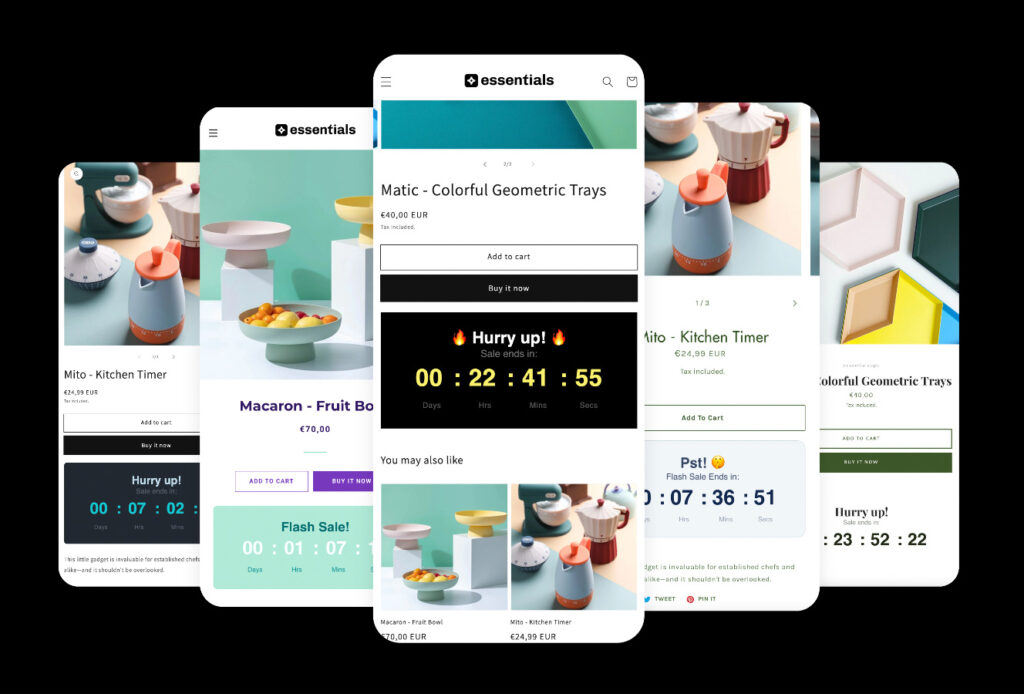
Add a countdown timer to your ecommerce product page below the add-to-cart button to increase urgency and conversions.

Cart Page Countdown

Boost your store conversions and encourage customers to buy now by adding a countdown timer to your cart page.

Announcement Bar Countdown

Promote current sales across your store by adding a fixed or sticky countdown timer bar at the top or bottom of any page.

Email Countdown

Create a sense of urgency, boost sales and significantly enhance the effectiveness of your email marketing campaigns.

Landing Page Countdown

Add countdown timer and a clear CTA to your promotion and add it as a block to any landing page: homepage, collection, etc.

Shopify Countdown Timer Types

To-Date Countdown Timer

Countdown timer that ends at a specific date. Best for promoting longer lasting sales, promotions or upcoming launches.

Evergreen Countdown Timer

Individual fixed-minute countdown timer for each buyer's session. Best for creating urgency and nudging customers to act now!

Recurring Countdown Timer

Daily recurring countdown timer. (E.g. every weekday from 9 am to 11 am). Best for promoting daily shipping cut-offs.

Features

shopify countdown timer by essential apps

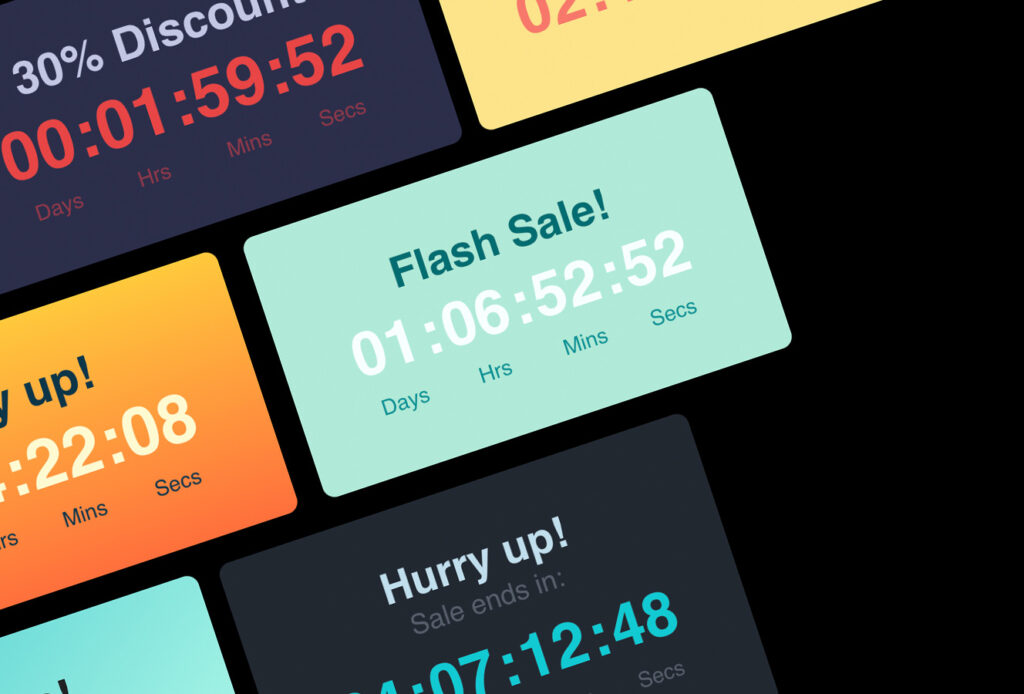
20 high-converting countdown timer templates

Choose from one of our 20 countdown timer styles that look awesome on any Shopify theme.

highly customizable shopify product countdown timer

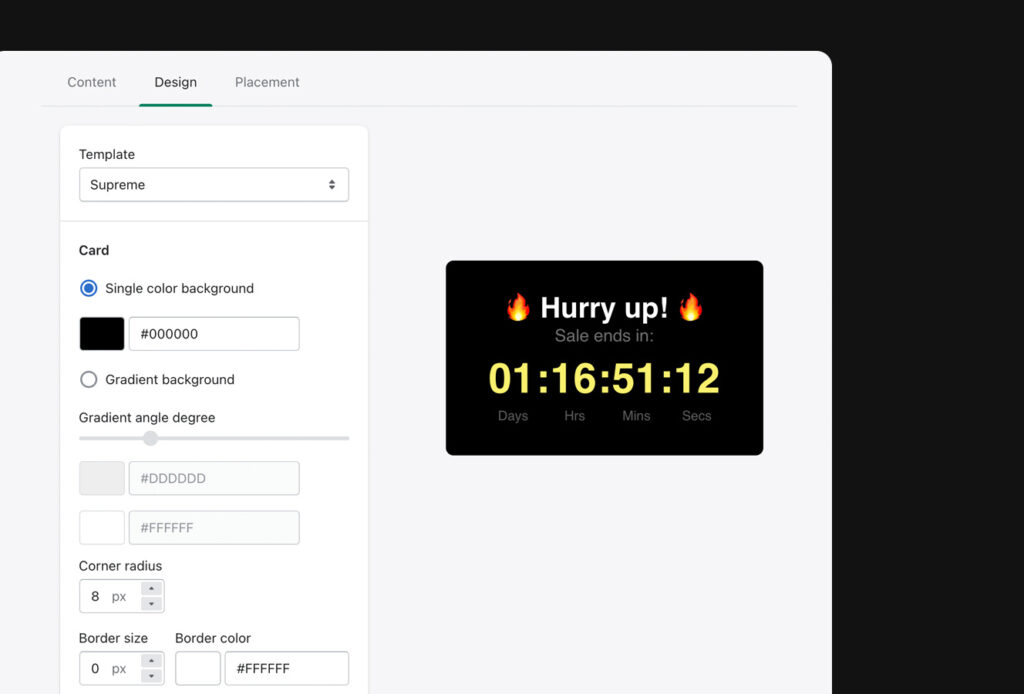
Highly customizable countdown timer

Create your own Shopify countdown timer design from scratch to fit your brand perfectly.

highly customizable shopify product countdown timer
mobile friendly shopify countdown timer

Mobile friendly and responsive countdown

Countdown timer will look perfect in your store regardless of what device a buyer is using.

Shopify Countdown Timer Use Cases

Limited-time product drops

Limited-time product drops

Highlight exclusive releases with a timer that shows buyers exactly how long they have before the drop ends.
Holiday promotions

Holiday promotions​

Make seasonal deals stand out with a timer that reminds shoppers the offer expires soon.​

Flash sales

Flash sales

Boost fast conversions by displaying a countdown that signals a short, high-impact discount window.
BFCM urgency timers

BFCM urgency timers

Increase Black Friday Cyber Monday conversions with timers that push shoppers to act before stock or discounts run out.
Product launch countdowns

Product launch countdowns

Build anticipation for new products by showing a timer that counts down to the exact launch moment.
Shipping cut-off reminders

Shipping cut-off reminders

Show customers how long they have left to place an order before the daily or holiday shipping deadline passes.​

Essential Shopify Countdown Timer Reviews

Installed by 55,000+ Shopify stores

Merchants use this Shopify countdown timer app to increase urgency and conversions. Here’s what they’re saying:

⭐⭐⭐⭐⭐ 

What can i say, i was blown away by the level of customer support offered by the dev team. Incredibly helpful – offering to help me with some dev work. The dashboard is very user friendly and very easy to understand. 10000% would recommend. Incredibly app considering its free!

shop.spacesUK

⭐⭐⭐⭐⭐ 

Such a great app – the one that I was looking for a long time. Easy to use/beautiful countdown interfaces. You can also choose your theme which makes it easy to fit your store design. Would recommend 10/10!

Soda Futura

⭐⭐⭐⭐⭐ 

Really have to give kudos to this app. It set up countdowns that work perfectly, really quickly and easily. Used it for both product page and banner styles; love that it can match your site fonts and colors. Bonus is that they don’t invade your customer information files like some similar apps.

OsoPorto

⭐⭐⭐⭐⭐ 

Best countdown timer on Shopify! Fits seemlessly with the web design and very easy to design and edit. The team are very helpful and responsive if you need support.
Thanks so much 🙂

Geek Crate

Pricing for the Essential Shopify Countdown Timer App

Free 7-Day trial and 30-Day Money Back Guarantee – No questions asked!

Free Plan

For anyone trying out
Free
  • Up to 1000 views
  • Unlimited Product page timers
  • Unlimited Top-bar timers
  • To-date & Evergreen timers

Starter

Use scheduled and recurring timers
$ 6.99
  • Up to 10 000 views
  • All features from Free
  • Unlimited Landing page timers
  • Scheduled & Recurring timers

Essential

Unlock the power of cart page timer
$ 9.99
  • Up to 50 000 views
  • All features from Starter
  • Unlimited Cart page timers
  • Add timer using tags
Popular

Professional

All features and unlimited views
$ 29.99
  • Unlimited views
  • All features from Essential
  • All premium features
  • Checkout page timer (coming soon)

Learn more about using countdowns in your store

Don’t hesitate to contact the Support if you have any additional questions

Using a countdown timer on your product page is one of the easiest ways to boost sales. It increases urgency, builds FOMO, and encourages buyers to act. Countdown timer is perfect for flash sales, promotions, holiday sales! That’s why we created the countdown timer that would help merchants like you to increase sales.

Many merchants choose Essential Countdown because it offers product, cart, bar, landing-page, and email timers in one place, along with evergreen, scheduled, and recurring options. It’s easy to customize, works with any Shopify theme, and is used by over 55,000 stores.

If your theme supports Shopify Online Store 2.0, using the app blocks is one of the easiest and most reliable ways to add or re-arrange your timer’s placement within the store. Read this article to see how to add a countdown timer to Shopify store as an app block.

It’s easy to set up a countdown timer bar for only 1 product in your Shopify store using the Essential Countdown timer app. Simply create a new product page timer and select the product you would like the timer to appear for under the Placement tab.

Shopify countdown timer length depends on a lot of factors. If it’s a regular sale, it usually goes from 1 to 7 days. Evergreen product page timers to increase urgency usually last from 15 minutes to a few hours. Cart page timers most commonly are from 5 to 15 minutes.

Yes! You can use the Essential Countdown timer to add a countdown timer to a Shopify password page. Simply create a new Landing page countdown timer and select the Password page under the Placement tab.

Here is the detailed article on how to add Shopify countdown timer on password page.

It’s very easy to remove the Essential Countdown timer bar from your Shopify store. Simply go to the timer page and click the “Unpublish” or “Delete” button. You can also remove all countdown timers from your Shopify store by disabling our application in your theme settings. 

Shopify doesn’t include a built-in countdown scheduler, but you can schedule timed promotions using apps. Essential Shopify Countdown Timer lets you set start/end times for sales, daily recurring timers, and product-specific campaigns without custom coding.

You can add a countdown timer to a Shopify website by using a timer app that supports Online Store 2.0 blocks. Essential Countdown allows you to place timers on product pages, landing pages, bars, and carts through the theme editor with no coding required.

For Shopify stores, the best free option is Essential Countdown because it includes product page timers, bar timers, and multiple countdown styles at no cost. For non-Shopify websites, online timers exist, but they can’t integrate with Shopify’s theme or product data.

In Shopify, you add a countdown widget by placing a timer block inside your theme. With Essential Countdown, you can drag a timer block into your product page, landing page, announcement bar, or cart area and customize its appearance in minutes.

countdown-app-logo

Get Essential Shopify Countdown Timer App Today

⭐⭐⭐⭐⭐ (1000+ reviews)