










Frequently Bought Together Shopify App
Essential Upsell & Cross Sell is a frequently bought together app for Shopify. Show products shoppers often buy together on the product page, in the cart and in pop-ups, and let them add the group in one click.
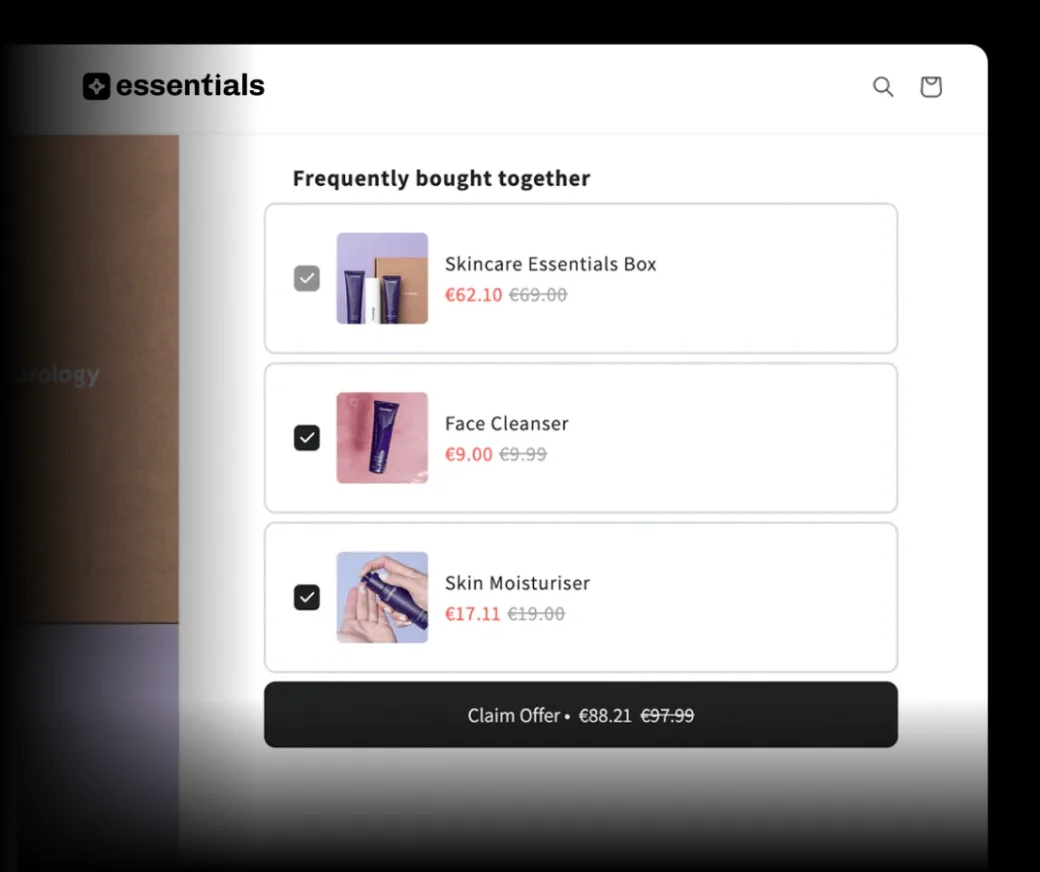
-
Increase order value
Show related products next to the item a shopper is looking at, so adding extras takes one click.
-
You choose the pairs
Pick the products that go together, or use Auto recommend for Shopify's related or complementary suggestions.
-
Real humans, 24/7
Stuck on setup? Our support team is available 24/7. More offer types are in the full Shopify upsell app.
More items per order with Essential Upsell & Cross Sell
5.0 average rating from 2,450+ reviews
34,700+
Active stores








Placements
Where frequently bought together offers appear
-
Product page
Pre-selectedRecommended items come pre-selected next to the main product, so shoppers add the group to their cart in one click.
-
Cart page or drawer
In the cartSuggests products that are commonly bought together with an item already in the cart. Cart offers start on the Essential plan.
-
Pop-up
On clickShows commonly purchased combinations when a shopper clicks Add to Cart on a product page, or Checkout in the cart.
Features
Essential Upsell & Cross Sell: frequently bought together app features
-
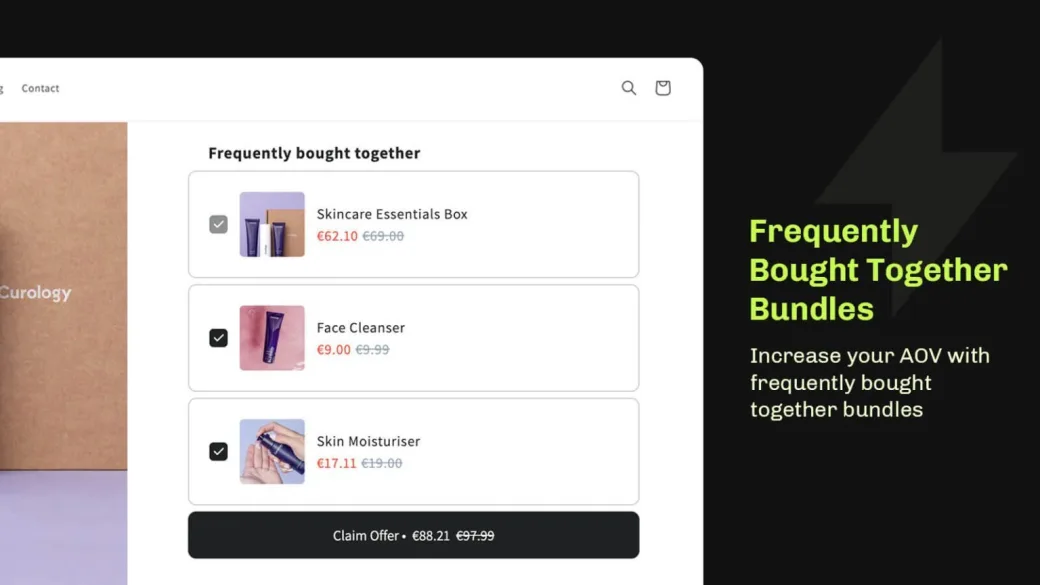
Pre-selected on product pages
Recommended items come pre-selected, so shoppers add the main product and extras in one click.
-
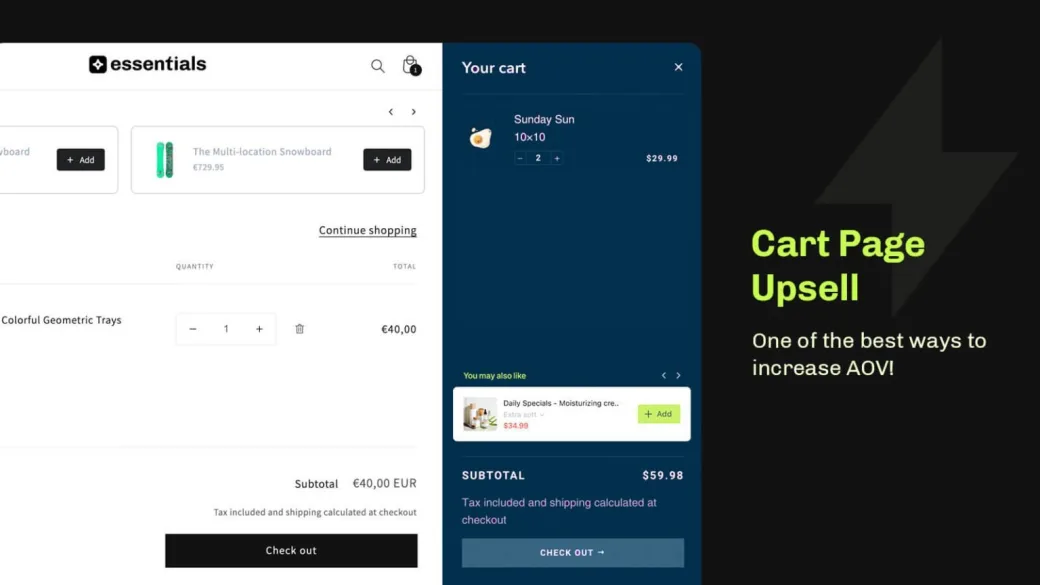
Also in the cart and in pop-ups
Show frequently bought together offers on the cart page or drawer, and in pop-ups after Add to Cart or Checkout.
Cart upsell -
Discounts on offer products
Add a discount to the products in the offer.
-
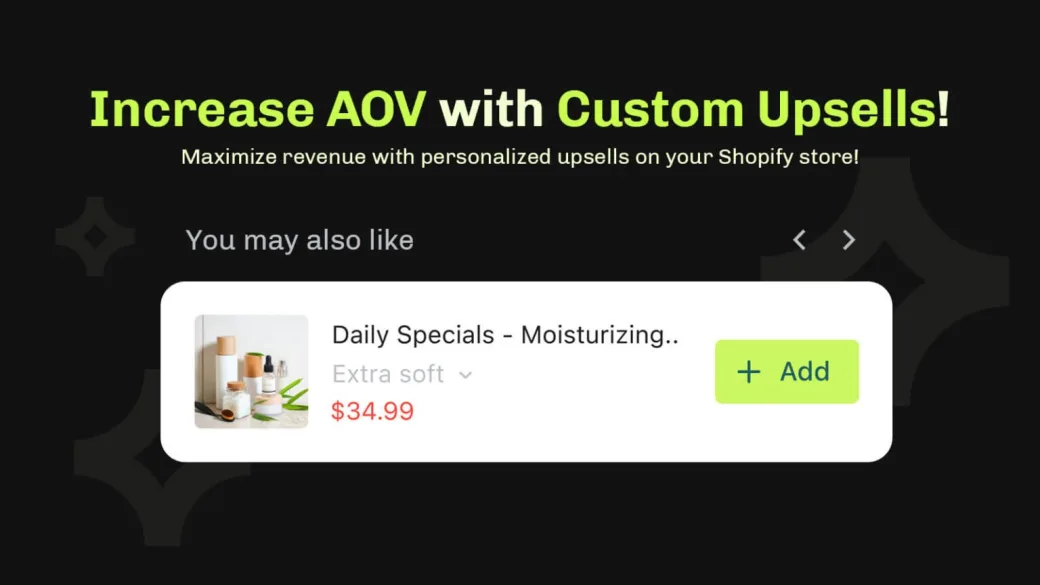
Customize each product
When you pick products yourself, set a display name, a badge such as "Most popular" and an image for each product in the offer.
-
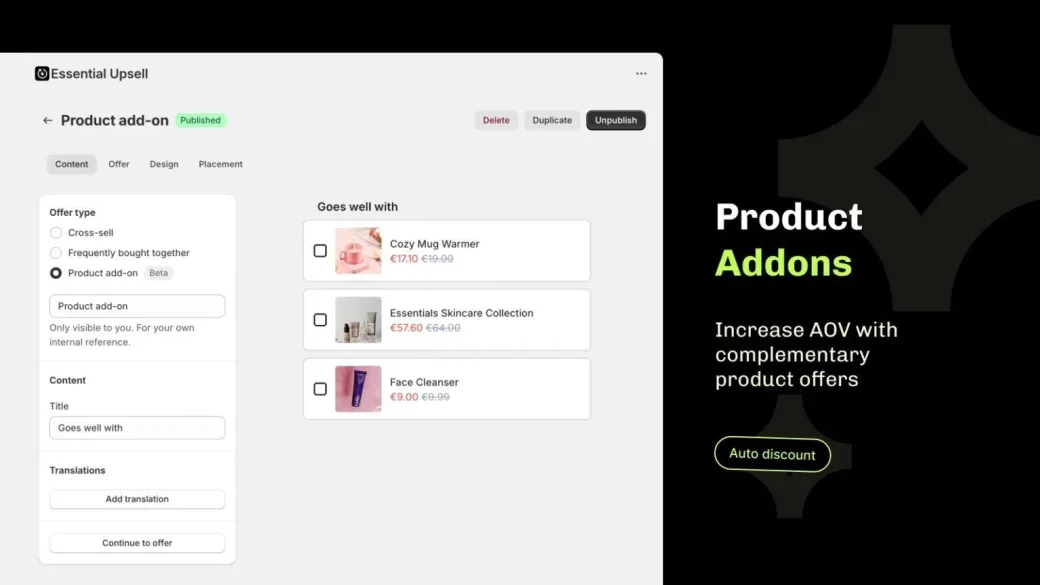
Product add-ons
Let shoppers choose extra items with add-on offers on the product page or cart page.
Product add-ons -
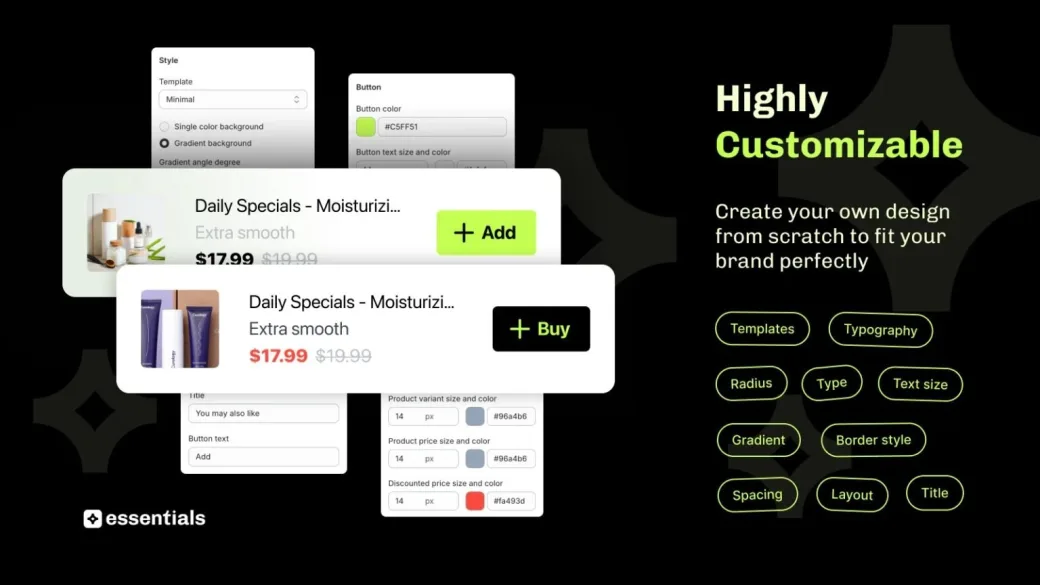
Hand-picked or Auto recommend
Choose the products yourself, or use Auto recommend to show Shopify's related or complementary suggestions.
Setup
How do I show frequently bought together products on Shopify?
-
1. Turn on the app embed
Go to Online Store > Themes > Customize > App embeds, enable Essential Upsell & Cross Sell and click Save.
-
2. Create the offer
Open the Essential Upsell app, click Create offer and choose the Frequently Bought Together offer type.
-
3. Choose the products
Pick the trigger products, then add the products to offer, or use Auto recommend.
-
4. Set a placement and a discount
Choose where the offer shows: product page, cart page or pop-up. Add a discount if you want one.
-
5. Customize and publish
Adjust the design and layout, then click Publish.
-
6. Test it
On a trigger product, add the group to your cart and check that the items are added together and any discount applies.
Reviews
Essential Upsell & Cross Sell reviews from Shopify merchants
Installed by 34,700+ Shopify stores.
5.0 average on the Shopify App Store
-
The upsell feature is very easy to set up and it works! We sold many additional items thanks to the upsell proposal in the cart. We had an issue with the currency converter and the customer service helped us within a few hours.
LAWA DESIGN -
Great app, amazing (and QUICK) support staff. 100% would recommend. Had some issues with an add-to-cart sticky widget not appearing correctly, and Andy had a great, fast fix to get things looking right.
Cloud Microphones -
A simple to use app that allows easy upsell add on products to your larger price points
The Shoe Snob -
Great product with very helpful and prompt support! They fixed an issue for me within minutes.
Steadfast Records
-
So far the app has been great. Easy to set up and looks nice on the site. We did need help for the popout cart placement but the support team fixed it for us same day. Great customer service! Pricing seems fair we are pleased.
Manna Kadar Cosmetics -
Great app with an easy setup and great customization options. The support team has been fantastic: fast, knowledgeable, and very helpful throughout the implementation.
Latitude 64° -
Great app and very responsive support when needed. Thank you Matas!
Meow Skateboards -
Great app! Easy to use, lots of different upsell options and the support is responsive and helpful.
FORCE3
Pricing
Simple and affordable pricing
Plans are based on the revenue the app adds to your store each month. Start free, and see how each plan works on the Essential Upsell & Cross Sell pricing page.
USD, billed monthly. 14-day free trial when you choose your first paid plan, once per store. 30-day money-back guarantee.
-
Free
Free
Up to $100 added monthly revenue
Start for freeNo risk, no upfront cost.
-
Starter
$9.99/mo
Up to $500 added monthly revenue
Free 14-day trial50x ROI potential
-
Essential
$19.99/mo
Up to $1,000 added monthly revenue
Free 14-day trial- Unlocks Cart offers
50x ROI potential
-
Growth
$39.99/mo
Up to $2,500 added monthly revenue
Free 14-day trial63x ROI potential
-
Scale
$59.99/mo
Up to $5,000 added monthly revenue
Free 14-day trial83x ROI potential
-
Professional
$99.99/mo
Up to $10,000 added monthly revenue
Free 14-day trial100x ROI potential
-
Unlimited
$149.99/mo
Above $10,000 added monthly revenue
Free 14-day trialUnlimited ROI potential
-
Enterprise
Custom
Tailored for your needs. Pricing is set on a call.
Book a call
FAQ
Frequently bought together Shopify app FAQs
Don’t hesitate to contact the Support if you have any additional questions.
- Bundling products means grouping related items into one offer. With Essential Upsell & Cross Sell, pick the products that go together and add an optional discount to the offer. Visit our blog to learn more about how to bundle products on Shopify.
- In Essential Upsell & Cross Sell you can choose the recommended products yourself, or use Auto recommend, which shows Shopify’s related or complementary suggestions. Read our guide on adding recommended products in Shopify.
- Install Essential Upsell & Cross Sell, turn on its app embed under Online Store > Themes > Customize > App embeds, then create an offer and choose the Frequently Bought Together type. Pick the trigger and offer products, set a placement and publish. Our guide covers how to add frequently bought together on Shopify.
- With a cross-sell offer, shoppers choose whether to add the recommended products. With an add-on offer, shoppers pick extra complementary products on the product page. A frequently bought together offer pre-selects the recommended items, so shoppers add the whole group in one click. Essential Upsell & Cross Sell has all three.
- Essential Upsell & Cross Sell has a free plan for up to $100 added monthly revenue and paid plans from $9.99 to $149.99 a month, based on the additional revenue the app generates. Paid plans start with a 14-day free trial. Compare every plan on the pricing page.
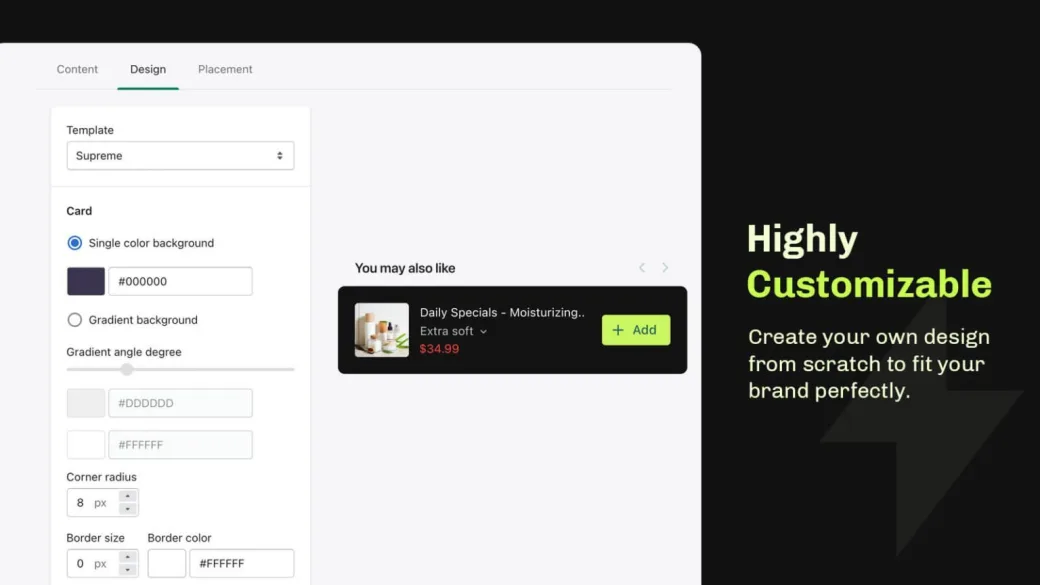
- Yes. In Essential Upsell & Cross Sell you can change colors, fonts and layout to match your theme, or add custom CSS.
- No. It is a built-in offer type in Essential Upsell & Cross Sell, alongside cross-sell and add-on offers. One install gives you all three, with product page, cart page and pop-up placements.