Your Shopify store has the product. Your pricing is competitive. But visitors keep abandoning cart without buying. Often it’s not about the product or price. It’s about trust.
Trust badges tell customers your store is legitimate, secure, and worth buying from. They’re small visual signals that reduce purchase friction and push more people across the finish line. The right badges placed in the right spots can meaningfully increase your conversion rate.
We’ve spent years tweaking our Shopify trust badge app for merchants like you, and came here to explain everything about it. Here’s what you need to know about trust badges for your Shopify store: which ones actually work, where to place them, and how to set them up properly.
Why Trust Badges Matter for Conversion Rate
Conversion doesn’t happen because products are good. It happens because customers feel safe buying. Trust badges for Shopify are one of the fastest ways to build that feeling.
When a shopper sees a security badge on checkout, they feel more confident entering payment info. When they see a return policy badge or money-back guarantee, purchase anxiety drops. When they see customer review ratings or trust certifications, the store feels more credible.
Studies consistently show that trust signals increase conversion rates by 5-15%. For stores doing $100K+ per month, that’s thousands of extra dollars per month. Trust badges for your Shopify store cost nothing to add and take minutes to deploy.
Types of Trust Badges That Actually Drive Results
Not all the trust badges work the same. Here are the best trust badges for Shopify by category.
Security and Payment Badges
These go on checkout pages and product pages. They signal that payment information is encrypted and safe.
- SSL certificates (HTTPS/lock icon) – Shows connection is secure
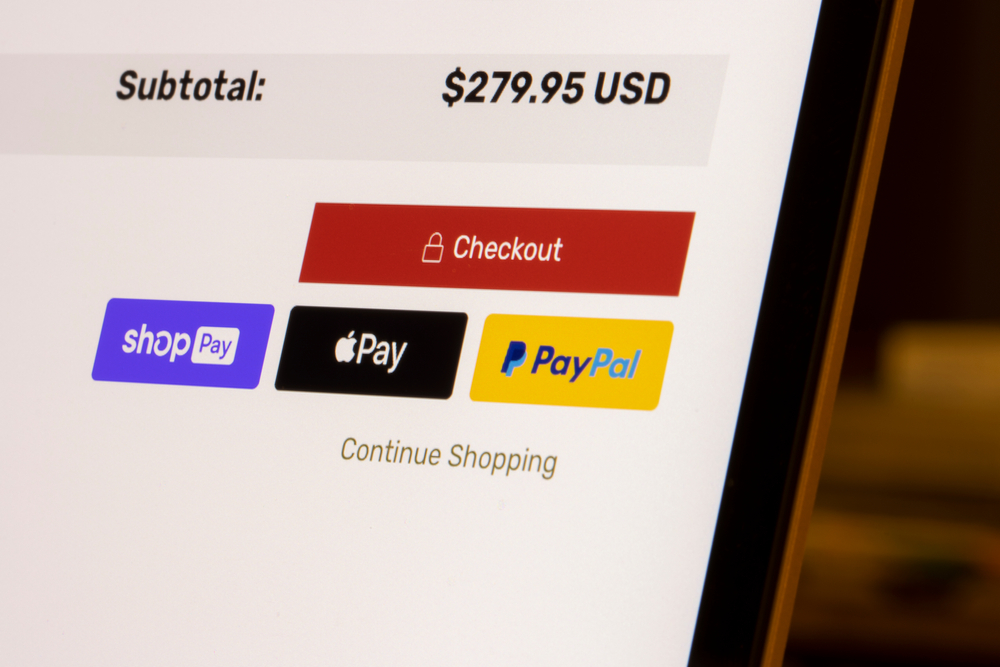
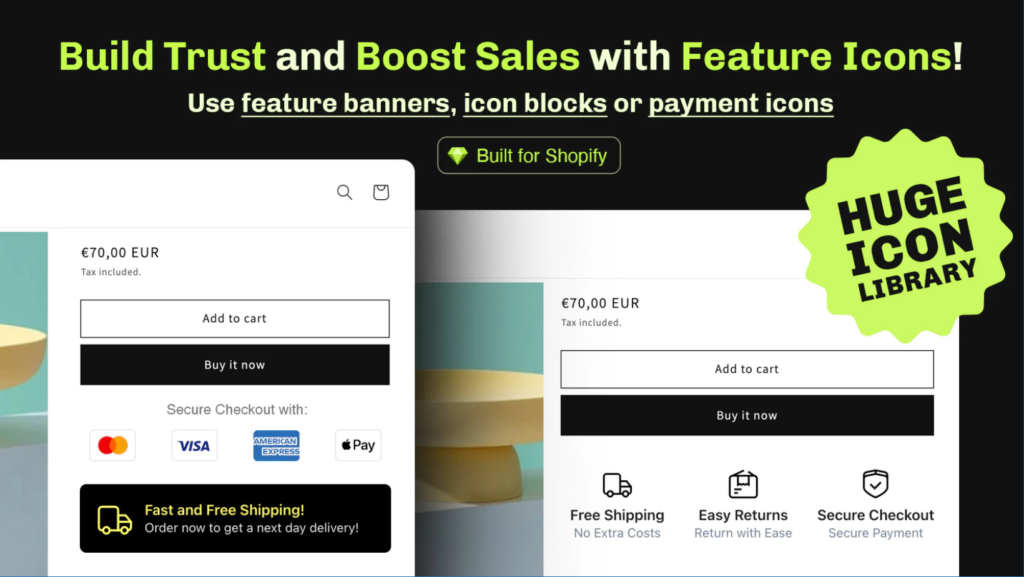
- Payment method badges (Visa, Mastercard, PayPal, Apple Pay) – Signals you accept trusted payment methods
- PCI compliance badges – Confirms payment data meets security standards
Placement matters here. Put these near the checkout button and payment form. Customers look for security signals right before they enter their card details.
Policy and Guarantee Badges
These reduce purchase risk by making your policies visible and credible.
- Money-back guarantee badges – “30-day return, no questions asked”
- Satisfaction guarantee badges – Reassures buyers they can return if unhappy
- Free shipping badges – Removes surprise shipping costs
Place these on product pages above the add-to-cart button and again near checkout. They address the main objection right before purchase: “What if I don’t like it?”
Social Proof and Authority Badges
These build credibility through third-party validation.
- Customer review ratings – Real star ratings from verified buyers
- Trust certifications (Trustpilot, Google, Norton, McAfee) – Third-party seals
- Award badges – Industry recognitions or certifications
Place these on homepage, product pages, and checkout. They work best near the product title or just above the price.
Urgency and Social Proof Badges
These create FOMO and show popularity.
- “X customers bought this week” – Shows demand
- “Limited stock remaining” – Creates urgency
- “Trusted by X customers” – Shows scale
Use these on product pages, sparingly. Too many urgency badges look fake and hurt trust instead of building it.
Where to Place Trust Badges for Maximum Impact
Product Page
This is where most purchase decisions happen. Place badges strategically:
- Near the product title or price – builds initial confidence
- Above the add-to-cart button – reduces friction right before purchase
- In the product description – reinforces trust as they read benefits
Cart Page
Customers are already committed here, but last-minute doubt kills sales.
- Near the checkout button – final reassurance before leaving product context
- Guarantee and return badges – answer “Can I really return this?”
Checkout Page
This is where trust matters most. Customers have money on the line.
- Security badges near payment form – before they enter card details
- Money-back guarantee – if they’re still nervous
- Trust certifications – final validation before submit
Homepage
New visitors don’t know you yet. Homepage badges set expectations.
- Trust certifications and awards – build credibility immediately
- Customer counts or review ratings – show you’re established
How to Set Up Trust Badges on Shopify
You have a few options: use a dedicated app, add manual code, or use theme features. The easiest approach for most stores is an app built specifically for this.
Essential Trust Badges & Icons lets you add trust badges without touching code. You can add security badges, guarantee badges, customer review ratings, trust certifications, and custom badges in seconds. No developer needed.
The app works with all Shopify themes and lets you control exactly where each badge appears. You can test different badge combinations to see what drives the highest conversion lift for your store.
Start by adding security badges to checkout (quick win for reducing cart abandonment). Then add guarantee badges to product pages (addresses the main purchase objection). Finally, add third-party certifications and review ratings to build overall credibility.
Common Trust Badge Mistakes to Avoid
Too Many Badges in One Spot
Five badges stacked on the product page creates visual clutter and looks desperate. Use 2-3 relevant badges per section. More isn’t better.
Fake or Outdated Badges
Customers notice fake badges instantly. It destroys trust faster than having no badges at all. Only use badges for programs you’re actually part of, with current logos and proper links.
Badges That Don’t Match Your Business
A business certification badge for a boutique fashion brand looks out of place. Use badges relevant to your industry and customer concerns. For fashion, review ratings work better than compliance certifications.
Badges Without Explanation
Some shoppers don’t know what a PCI badge means. Add a short tooltip or link that explains what the badge represents and why they should trust it.
Forgetting Mobile
Trust badges need to work on mobile too. Stack them vertically, keep them small, and make sure they’re not blocking important content. Mobile conversions depend on trust just as much as desktop.
Testing and Optimization
Not all trust badges work equally for every store. Your audience, product type, and price point matter.
Start with one badge placement and track conversion impact for 2 weeks. Then add another badge type and measure again. Which combination pushes the highest percentage of visitors to buy?
For example, a $500+ product might see bigger conversion lift from certifications and money-back guarantees. A $20 product might see bigger lift from “trusted by 50K+ customers” social proof badges. Test and measure, then double down on what works.
The Bottom Line
Trust badges are one of the highest-ROI changes you can make to your Shopify store. They cost nothing, take minutes to add, and directly reduce purchase hesitation.
Start with security badges on checkout. Add guarantee badges to product pages. Then layer in social proof like review ratings and certifications. Run them for 2-3 weeks and measure conversion impact.
Use Essential Trust Badges & Icons to add and position badges without code. It handles placement, styling, and testing so you can focus on selling more products.
Frequently Asked Questions
What trust badges increase conversion rate the most?
Security badges (SSL, payment icons) on checkout and money-back guarantee badges on product pages show the highest conversion lift for most stores. Start with these two before adding others.
Can I use free trust badges or do I need to pay?
Many badges are free (SSL lock, payment icons, basic certifications). Premium options like Trustpilot integration or custom designed badges may cost money, but you can build a strong badge strategy with free options.
How do I add custom trust badges to my Shopify store?
Essential Trust Badges & Icons lets you upload custom badge images and position them anywhere on your store without code. You can add your own company badges, awards, or custom guarantees directly.
Where should I place trust badges to avoid looking spammy?
Place 2-3 relevant badges per section (product page, checkout, homepage). Group them logically by type: security badges near payment forms, guarantee badges near add-to-cart, certifications near product title. More badges don’t mean higher conversion.
Do trust badges work for all product types and price points?
Yes, but the badge type matters. High-ticket items ($500+) benefit more from certifications and guarantees. Impulse purchases benefit more from social proof and urgency badges. Test different badge combinations for your specific products and audience.