Black Friday and Cyber Monday (BFCM) aren’t just big shopping days. They are the Superbowl of ecommerce. For Shopify merchants, it is the moment when preparation meets opportunity. Every small optimization can mean the difference between a store that sells out and one that barely breaks even.
If you are getting ready for the BFCM 2025 rush, this is your ultimate Black Friday ecommerce checklist. It is packed with practical steps, smart optimizations, and proven ways to turn browsers into buyers without losing your sanity or your margins.
1. Start Early and Set Realistic Goals
Every strong Shopify BFCM campaign starts with a plan. Take a look at last year’s performance. Which products sold out fastest? Where did customers drop off? Use Shopify Analytics to find your top performers and your biggest gaps.
Set clear goals this time around. Maybe that means increasing your average order value (AOV), improving conversion rate, or reducing abandoned carts. Be specific. “I want a 15% lift in AOV” is better than “I want more sales.” Then reverse-engineer the steps to get there.
Also, do not forget logistics. Confirm your stock, fulfillment timelines, and customer support capacity before the chaos begins. You cannot build momentum if your best-selling item is sitting in a warehouse with no label.
2. Get Your Store Conversion-Ready
Let’s be honest, Black Friday traffic is useless if your site does not convert. Here is where your preparation really pays off.
Keep Add to Cart Always in Sight
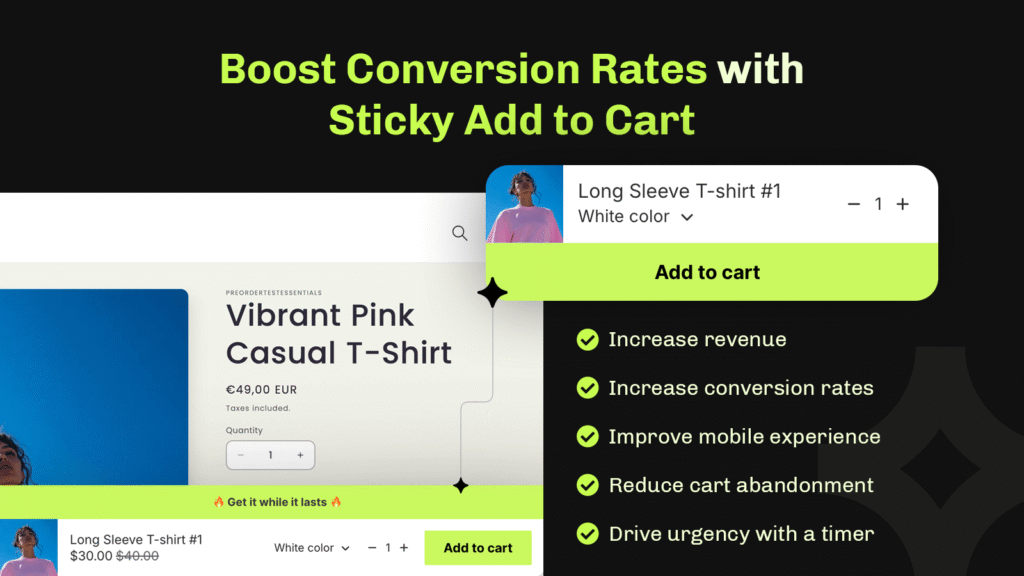
When shoppers are in a hurry, the last thing they want is to scroll endlessly looking for the Add to Cart button. A sticky add to cart bar solves that by keeping your CTA visible no matter where customers are on the page. It is one of those simple features that quietly boost sales, especially on mobile.
You can add one easily with the Essential Shopify Sticky Add to Cart App. It is quick to set up, fully customizable, and makes checkout friction-free.
Show Delivery Dates and Cutoffs
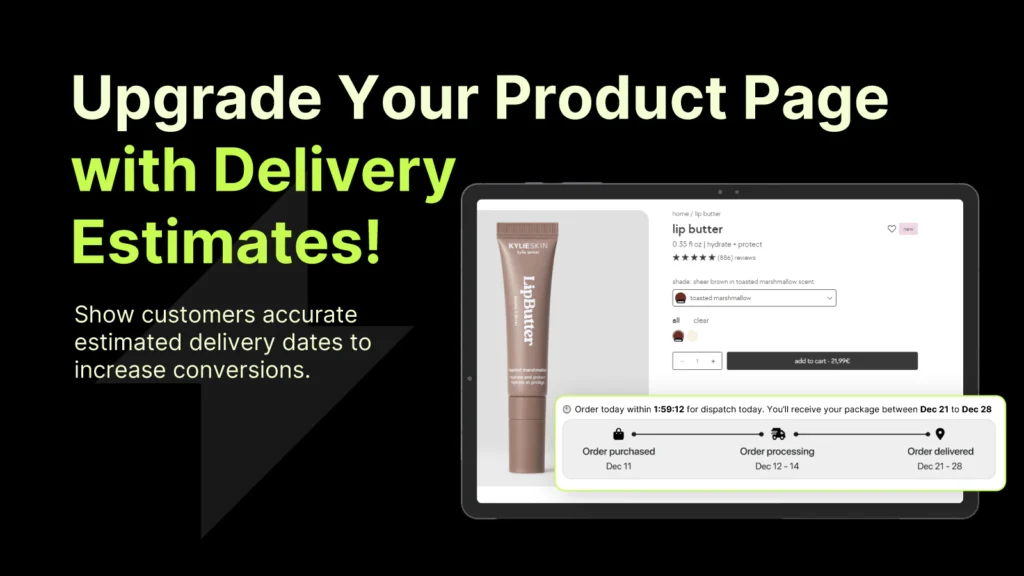
During BFCM, timing is everything. Shoppers want to know if their order will arrive before the holidays, and uncertainty kills conversions. Clear shipping windows help build trust, increase conversion rates, and reduce support tickets.
The Essential Estimated Delivery Date Shopify App lets you show processing times, delivery ranges, and holiday cutoffs directly on product and cart pages. It is a small detail that builds trust fast.
Enable Preorders for Hot Items

Out of stock? No problem. Let customers reserve upcoming items or restocks using the Essential Preorder & Presale App. Preorders turn missed opportunities into guaranteed sales and keep your hype alive even after inventory runs low.
3. Build Urgency the Right Way
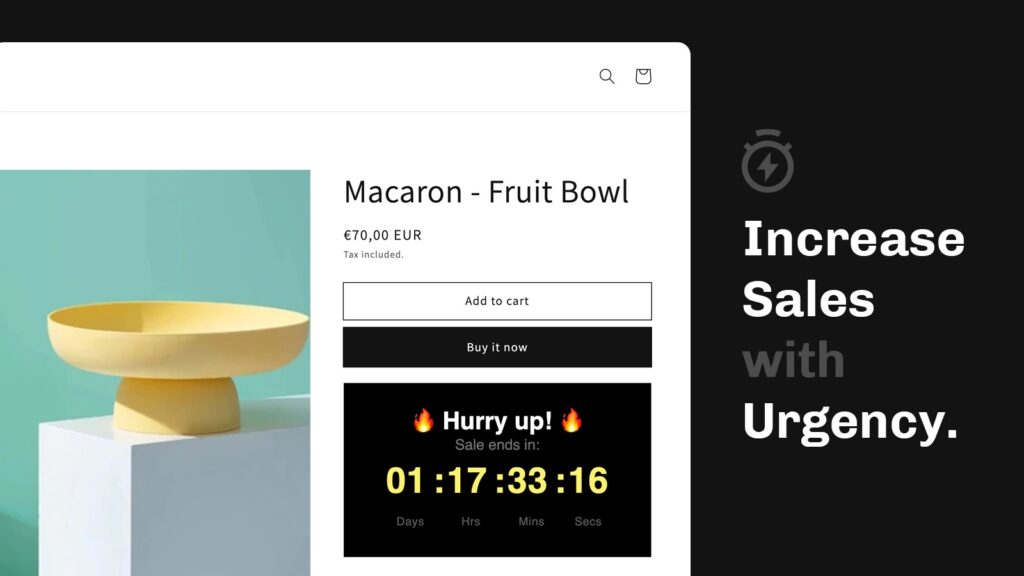
Shoppers are bombarded with offers during BFCM. The trick is to create urgency that feels real, not pushy. Countdown timers and announcement bars do that beautifully. They highlight time-sensitive deals without shouting at your visitors.
Use announcement bars to tease early access, promote free shipping, or call out limited quantities. Pair that with countdown timers for shipping deadlines or flash deals, and you have an instant motivator to act now.
One Shopify store using the Essential Countdown Timer Shopify App saw a 40% increase in sales from adding just a single timer. Seriously, one timer. You can read the full story here. It is proof that when urgency is done right, it works.
If you want to test it on your store, the Essential Countdown Timer App is currently 20% off with code BFCM.
4. Increase Average Order Value (AOV)
Black Friday is the perfect time to encourage customers to spend a little more without relying on discounts. Think smart, not cheap.
Suggest Add-Ons and Bundles
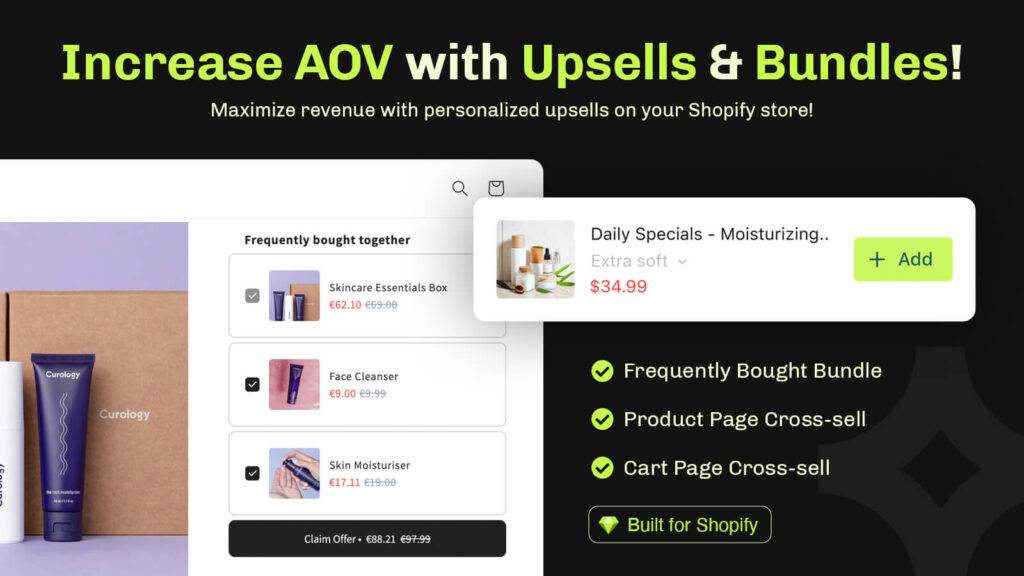
Relevant product recommendations are pure gold. Use upsells and cross-sells to show customers what goes perfectly with what they are already buying. A skincare bundle, a cable for a new gadget, or an accessory for a main item. It is easy, natural, and effective.
The Essential Upsell & Cross-Sell Shopify App makes this effortless. It automatically suggests related products, so every cart has the chance to grow before checkout.
Offer Free Shipping Thresholds
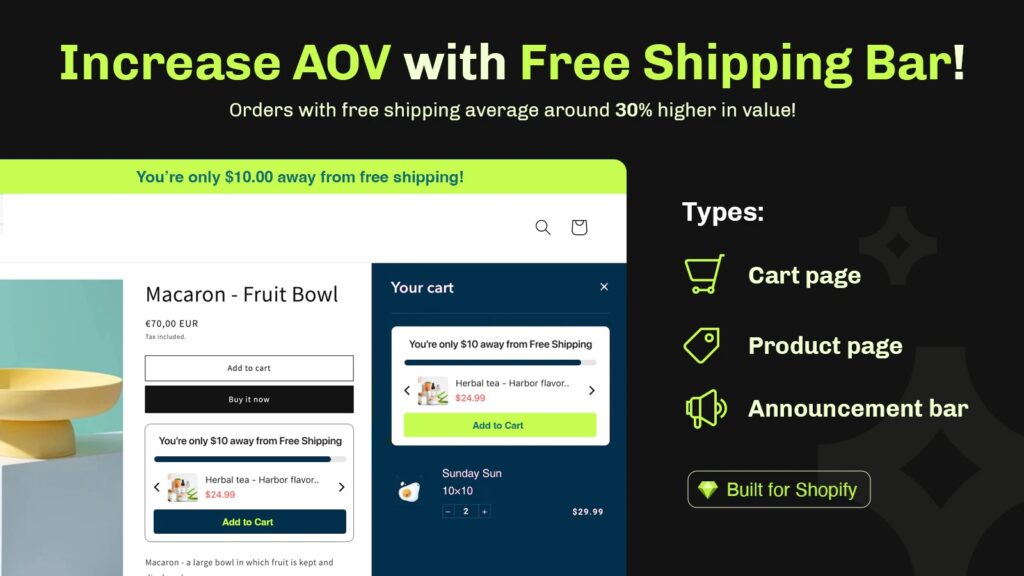
People hate paying for shipping, but they will gladly spend more to avoid it. Setting a threshold like “Free shipping on orders over $75” is one of the easiest ways to boost AOV. It feels like a win for the customer and a win for your margins.
You can go a step further by showing shoppers how close they are to unlocking free shipping. A small progress bar or message like “You’re only $10 away from free shipping” is surprisingly effective. It keeps customers engaged and encourages them to add just one more item.
The Essential Free Shipping Upsell App makes this easy to set up. You can customize your thresholds, show progress in real time, and even pair it with upsell prompts for an extra boost in cart value. It turns your free shipping perk into a powerful conversion driver.
5. Build Trust and Keep It Real
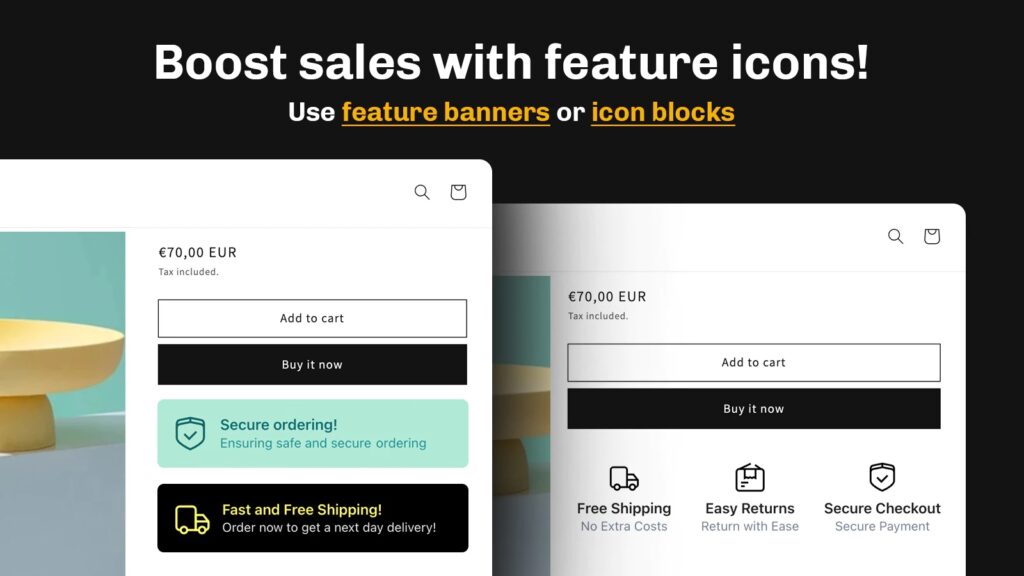
During Black Friday, customers are making quick decisions. If your store does not look trustworthy, they will click away even if your deal is great.
Add trust badges to your product pages, feature reviews, and make your return policies easy to find. Transparency matters more than perfection. A store that says “We will make it right if something goes wrong” feels safer than one that hides behind small print.
If you want to add professional-looking badges quickly, the Essential Trust Badges App can help you drop them in without coding. It is a small detail that makes a big difference during high-traffic events.
6. Speed, Mobile, and Performance: No Excuses
You can have the best deals in the world, but if your site takes five seconds to load, you have already lost half your visitors. Shopify stores live and die by speed during BFCM.
Here is your mini speed audit:
- Compress and resize images.
- Disable or remove unused apps (especially old pop-ups or heavy analytics).
- Test your store on multiple devices. Your checkout should feel seamless on mobile.
- Use Shopify’s built-in speed report or tools like GTmetrix to catch bottlenecks early.
Fast sites make shoppers feel confident. Slow ones make them second-guess.
7. Use Announcement Bars Strategically
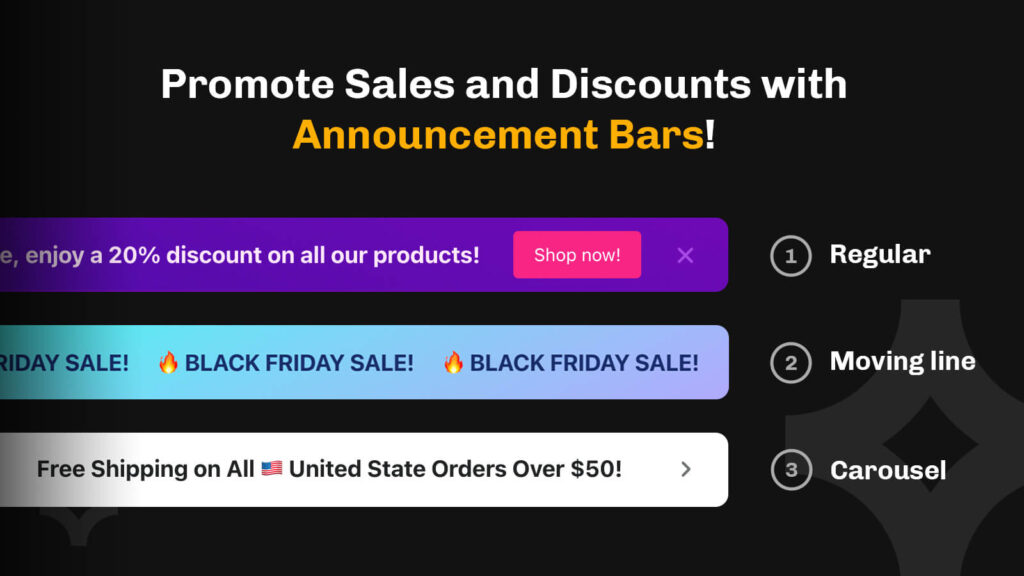
This one is underrated. Announcement bars are small but mighty. They are the first thing shoppers see, and during BFCM, that space is prime real estate.
Use it to promote:
- Free shipping thresholds
- Flash sale countdowns
- Early access offers
- Shipping deadlines (“Order by Nov 25 to get it in time”)
Keep your copy short and energetic. A good announcement bar does not just inform; it motivates. For example: “Black Friday Sale Starts Tomorrow. Don’t Miss It.”
You can easily create one with the Essential Announcement Bar Shopify App. It lets you design bold, high-converting banners that grab attention without overwhelming the rest of your store. You can schedule multiple announcements, highlight special offers, or display limited-time shipping deals.
Pair it with the Essential Countdown Timer App for that extra push. A bar that tells shoppers the sale ends in three hours? That is the kind of urgency that converts.
8. Test Everything Before the Big Day
Do not wait for Black Friday to find out your checkout button is not working. Test your store like a customer would. Add items, change variants, apply discounts, complete a purchase, every single step. The smoother the flow, the better your conversions will hold up under pressure.
Also, double-check your:
- Payment gateways (no surprises on high-traffic days)
- Email automations (especially cart recovery)
- Analytics setup (you will want to measure what is working)
Small glitches can add up fast. Testing now means fewer headaches later.
9. Track, Learn, and Adapt During BFCM

Once Black Friday hits, things move fast. That does not mean you should stop optimizing. Keep an eye on your Shopify dashboard throughout the event. Look for patterns: Which products are selling fastest? Are people abandoning at checkout? Are certain upsells working better than others?
Adjust in real time. Update announcement bar messages, tweak CTAs, and test new bundles mid-sale if something is not performing. The most successful merchants are the ones who treat BFCM as a living campaign, not a set-and-forget sale.
10. Find the Right Tools to Power Your Black Friday Campaign
Once your store is optimized and your strategy is in place, the next step is choosing the right tools to help you execute it smoothly. From countdown timers to upsell builders, the right Shopify apps can make your BFCM workflow faster, cleaner, and more profitable.
If you want a hand-picked list of what is worth adding this season, check out our guide to the best apps for Black Friday. It breaks down proven tools that boost conversions, create urgency, and improve your overall shopping experience, all tested and recommended by Shopify experts.
The Wrap-Up: Prepare Now, Profit Later
Black Friday is not just about the weekend. The preparation you do now sets the tone for the rest of your holiday season and your store’s long-term performance. The stores that win are not the ones with the biggest discounts. They are the ones that feel fast, easy, and trustworthy to shop from.
The good news is that you do not need to overhaul everything. A few small tweaks (e.g. a sticky add to cart, a countdown timer, clear delivery dates, and an upsell or two) can completely change your results.
At Essential Apps, we have helped thousands of Shopify stores gear up for big retail moments like BFCM. Each of our tools was built with one goal: to help merchants sell smarter, not harder.
Start early, test your flow, and make this your most confident, conversion-ready Black Friday yet.